
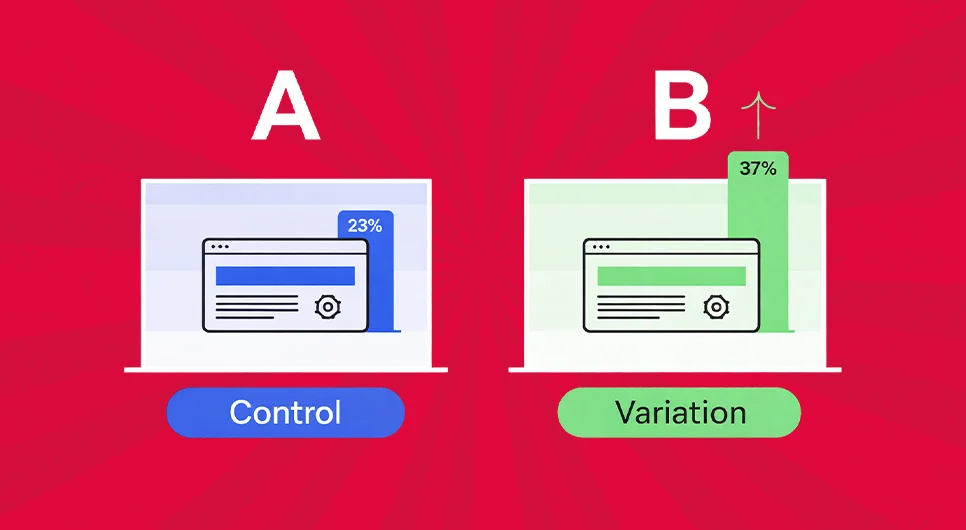
A/B Testing as a Risk-Control System
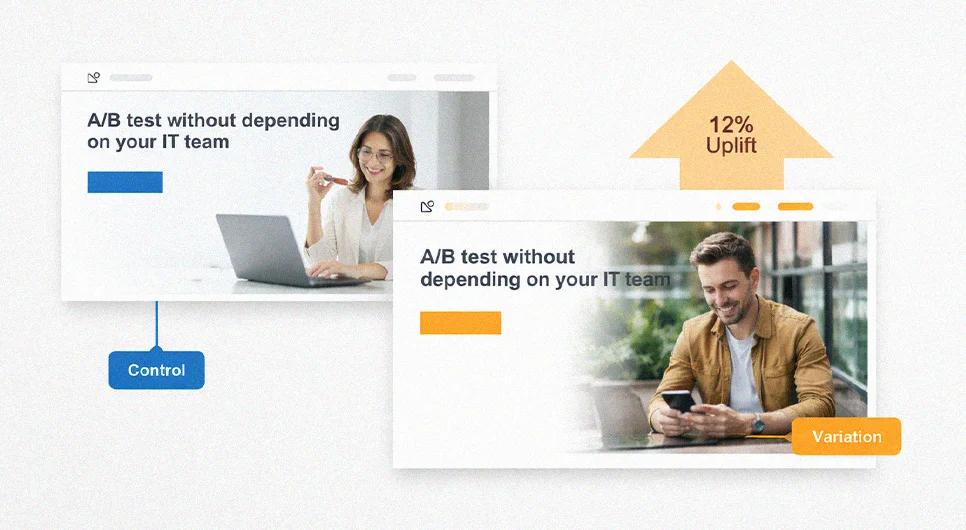
A/B testing gives digital teams a structured way to make decisions when user response is uncertain. The useful question is rarely “Which version looks better?” It is whether a proposed change improves a defined outcome without creating an unacceptable tradeoff somewhere else.
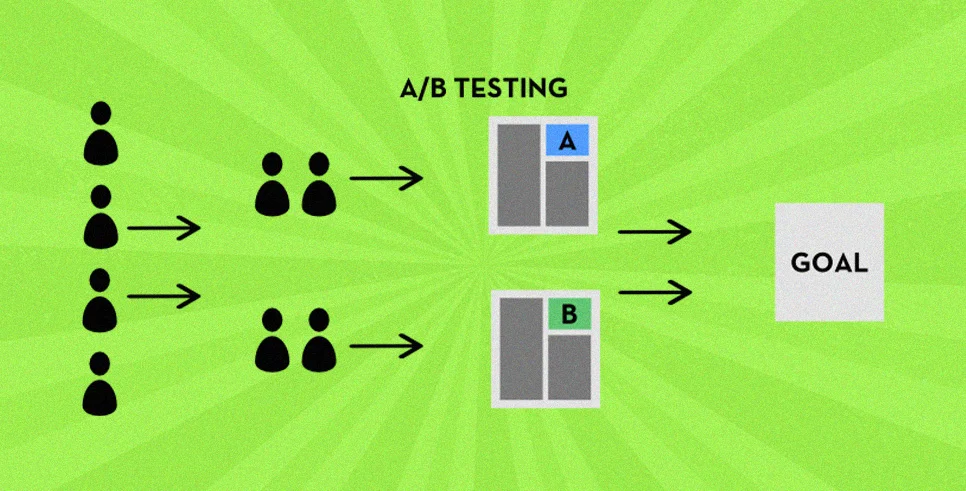
The method compares a control with one or more variations under controlled traffic allocation. Performance is then evaluated against a predetermined outcome. Depending on the business, that could mean completed orders, qualified inquiries, activation, revenue per visitor, successful checkout, subscription upgrades, or continued product use.
Website experiments can examine landing pages, pricing presentation, navigation, forms, product detail pages, and checkout journeys. A qualified web design and development agency can also prepare reusable components and event instrumentation so experiments do not require tracking repairs every time a variation launches. Mobile app A/B testing extends the same principle to onboarding, permissions, paywalls, subscription prompts, and feature discovery.
Server-side experiments go further. Assignment can happen before the interface renders, allowing teams to test recommendation rules, account eligibility, pricing logic, feature access, or other behavior controlled by the application.
The value, therefore, extends beyond finding a winner. A well-designed experiment identifies what actually changes user behavior.
What is A/B testing?
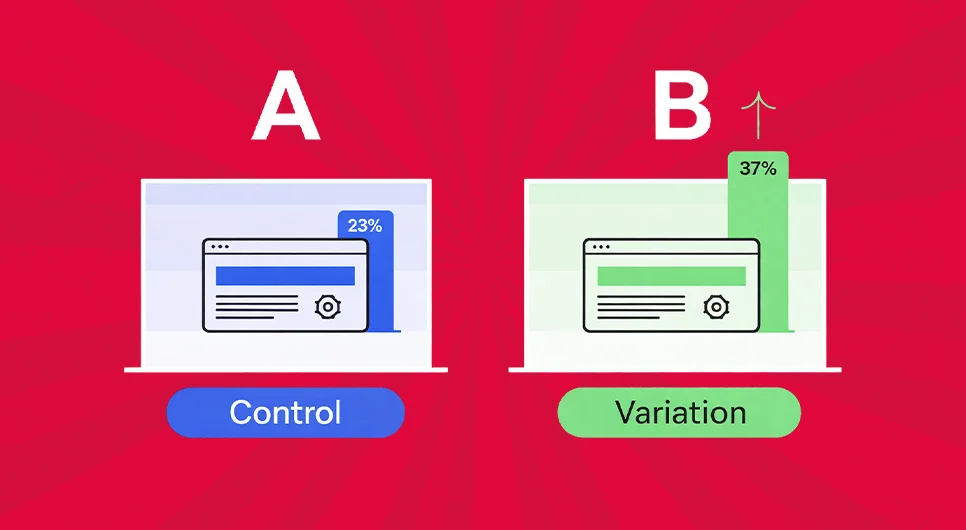
A/B testing, or split testing, is a controlled experiment in which comparable users are assigned to different versions of an experience. Version A generally represents the existing experience. Version B introduces the proposed change.
The experiment measures both versions against the same predefined outcome. A SaaS company could test whether a more specific value proposition increases qualified trial registrations. An online retailer might expose delivery estimates earlier in checkout and measure completed purchases. A mobile app AB testing program could compare two onboarding sequences against account activation.
Controlled assignment is what distinguishes experimentation from simply changing a page and comparing this week’s numbers with last week’s. Website A/B testing, mobile A/B testing, and server-side experimentation all depend on isolating the effect of a change from unrelated differences in traffic or timing.

Why start A/B testing
A/B testing replaces preference-based decisions with observed behavior. A redesign does not have to win an internal argument before launch. The team can determine whether it changes the metric that prompted the redesign in the first place.
Risk reduction is the stronger reason to experiment. A simpler form can increase submissions while producing poorer leads. Prominent discount language can raise purchase volume but reduce contribution margin. A new app feature can help experienced users while making the first session harder for new users.
Mobile experiences make this especially important. Limited screen space means the order of information, first CTA, permission request, validation message, and initial price cue can materially change what happens next. Mobile app A/B testing gives product teams a way to isolate those decisions rather than releasing every change across the entire user base.
Three good reasons to start A/B testing

Catch expensive assumptions before rollout.
Ideas often reach production because they appear sensible during design review. An experiment checks whether the proposed fix changes the behavior associated with the original problem.
Connect experience changes to business value.
A stronger interface is useful only when it supports the intended result. Depending on the test, that could mean fewer failed checkouts, more sales-qualified inquiries, higher activation, or additional revenue per session.
Create reusable knowledge about your audience.
An individual winner solves one decision. An experiment archive does more. Over time, it can reveal which objections suppress conversion, where users need additional context, which segments react differently, and which assumptions have already been disproved.
A/B Testing Goals and Success Metrics
An experiment becomes interpretable only when success is defined before exposure begins. “Improve this page” is not a measurement plan. The test needs a primary KPI, an expected direction of change, and guardrails capable of revealing an unwanted consequence.
Before launch, answer four questions. What business result is being targeted? Which observed action represents that result? Which metric could deteriorate while the primary KPI improves? What evidence would justify shipping, revising, or rejecting the variation?
Without those decisions, teams can easily declare victory based on whichever number happens to move.
Common A/B testing goals
The right goal depends on the economic job of the experience. A lead-generation page may be judged by qualified inquiries or scheduled consultations rather than raw CTA clicks. An ecommerce experiment may target completed purchases, revenue per visitor, checkout completion, or average order value. A SaaS product might measure activation, paid conversion, feature adoption, or renewal behavior.
Diagnostic metrics have another role. Scroll depth, video engagement, interaction events, and page progression can explain why a variation behaved differently. They should not automatically replace the outcome the page exists to produce.
This distinction becomes especially important when reviewing A/B testing statistics. A statistically interesting movement in a secondary event is not automatically evidence that the experiment improved the business outcome.
Higher conversion rate
Conversion rate optimization with user testing and controlled experiments works best when the team first identifies where meaningful intent breaks down. Funnel analytics, usability sessions, form behavior, support feedback, and A/B testing answer different parts of that problem.
A conversion should reflect the actual job of the experience. It might be a completed order, qualified contact request, activated account, booked appointment, trial registration, or another action with identifiable business value.
Raw volume can mislead. A variation that produces more inquiries but fewer sales-qualified opportunities has not necessarily improved performance. Likewise, a checkout treatment that generates additional orders at materially lower margin needs to be evaluated economically, not just statistically.
The cleaner measurement model is one primary conversion event supported by quality checks. For a B2B page, the primary KPI might be demo submissions while sales acceptance and spam rates act as guardrails. For ecommerce, completed purchases might be paired with revenue per visitor, refunds, discount usage, and checkout exits.
Lower bounce rate
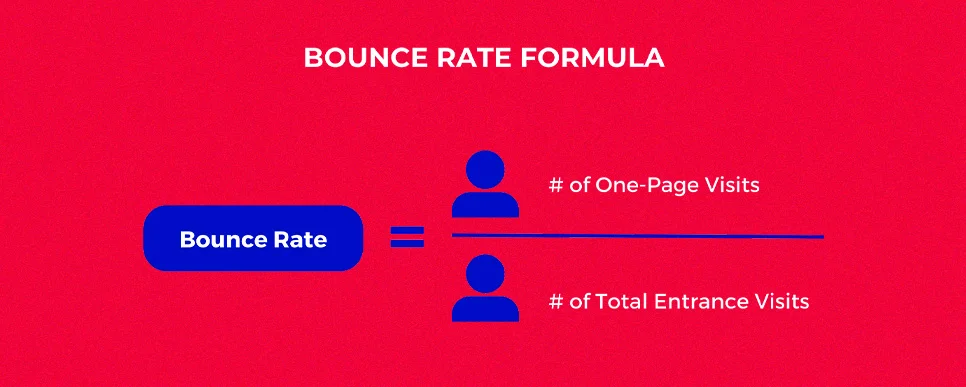
Bounce rate can help diagnose pages whose purpose is to move visitors deeper into an experience, but the metric needs context.
GA4 defines bounce rate as the inverse of engagement rate. A session counts as engaged when it lasts longer than 10 seconds, contains a key event, or records at least two page or screen views.
A lower bounce rate therefore does not prove that a page became more persuasive. Visitors can remain longer because information is useful, but they can also remain because they cannot find what they need. Pair engagement with the action the page is supposed to support, such as product progression, a qualified form submission, or another intent-based event.
Lower cart abandonment
Checkout abandonment is better treated as a sequence than as a single percentage. Customers can leave when unexpected costs appear, a required payment method is unavailable, delivery timing remains unclear, an account is mandatory, validation fails, or the interface creates uncertainty at the payment stage.
That is why enterprise merchants optimizing checkout conversion with A/B testing should instrument individual funnel stages rather than compare only cart and purchase totals. Measure checkout initiation, delivery selection, payment entry, order review, transaction completion, and relevant errors.
High-value experiments may examine express checkout placement, guest purchasing, address validation, delivery promises, inventory communication, returns information, and error recovery.
When a variation changes payment logic, account eligibility, pricing rules, or other persistent checkout behavior, server-side assignment can provide more consistent treatment across sessions and authenticated states.
What You Can A/B Test
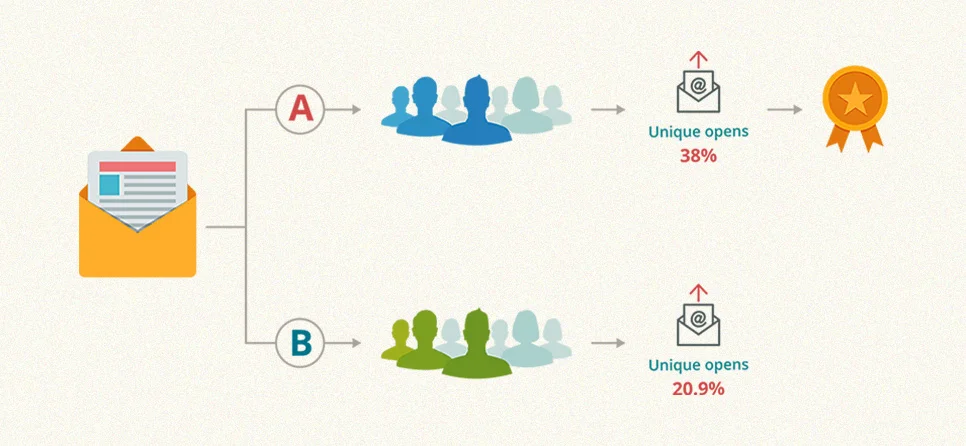
Once the KPI is defined, testing should concentrate on elements capable of influencing it. Easy-to-edit details are not automatically useful experiments.
Strong ideas usually begin with evidence: funnel exits, repeated search-intent mismatches, form errors, customer questions, usability observations, sales objections, or behavioral analytics. The closer the hypothesis sits to an observed problem, the more useful the experiment becomes.
What can you A/B test on websites?

Almost any user-facing element can technically become a variation. Traffic should be reserved for changes with a plausible relationship to the outcome being measured.
On a landing page, that may include the proposition, CTA route, supporting evidence, pricing explanation, form sequence, or continuity between the ad and the page. Service pages may warrant experiments around decision criteria, proof placement, contact methods, or industry-specific explanations. Ecommerce pages create different opportunities, including image sequencing, delivery visibility, variant selection, stock information, reviews, and purchase entry points.
Forms deserve separate analysis. Required fields, label clarity, field order, validation timing, optional inputs, and single-step versus multi-step structures can affect both completion and lead quality. Fewer fields do not automatically produce a better business result.
Visual experiments also need a behavioral reason. A demonstration video can answer a difficult product question, but it can also delay interaction. A software screenshot may explain a SaaS product more effectively than lifestyle photography. Test the uncertainty the asset is meant to resolve.
A/B test variables in emails
Email experiments are easier to interpret when one meaningful variable is isolated at a time.
- Subject line: Test the proposition, specificity, incentive framing, or level of urgency.
- Sender identity: Compare a recognizable employee name with the brand when sender recognition may affect opens.
- Email body: Test information hierarchy, CTA position, proof, linked media, or the amount of explanation required before the click.
- Send timing: Compare delivery windows when audience behavior provides a reason to expect meaningful differences.

Do not end the analysis at opens or clicks. When the email sends users to a website, connect the experiment to downstream behavior. A winning email that produces more visits but fewer purchases or qualified inquiries may simply be generating additional curiosity.
Types of A/B Testing and Experiment Designs
Experiment design should match the technical and behavioral question being asked. A headline variation may work with a browser-based implementation. Account permissions, checkout rules, and product logic usually require a different architecture. Large page rebuilds may justify separate URLs.
Selecting the wrong method can compromise an otherwise sensible hypothesis.

Types of A/B testing
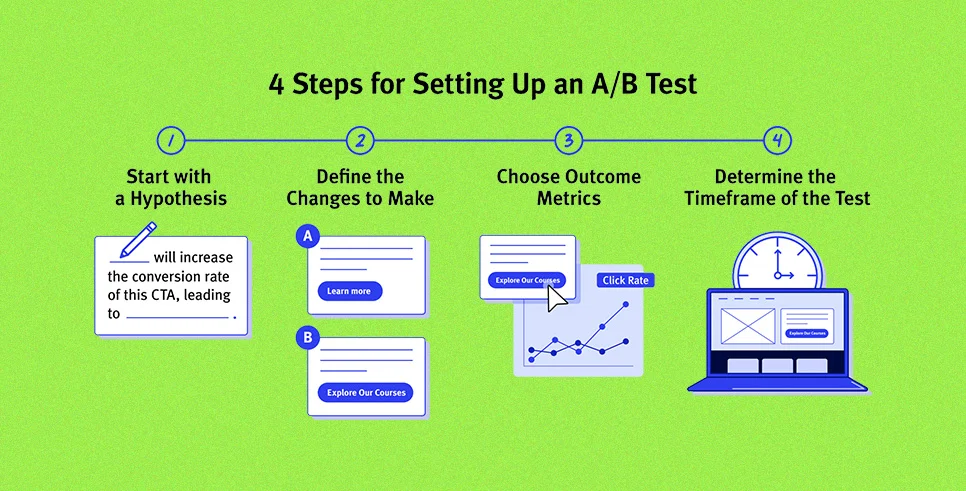
Classic A vs B test.
One control is compared with one variation. This structure works well when a team has a specific hypothesis about a headline, form behavior, CTA, information block, or interface treatment.
A/B/n testing.
Several alternatives compete against the same control. It is appropriate when multiple credible treatments deserve comparison, but additional variants divide available traffic and complicate inference.
Multivariate testing.
Multiple elements and their combinations are tested together. This can reveal interaction effects, but the number of combinations increases quickly and typically requires substantially more traffic.
Split URL testing.
Users are directed to separate page builds. This approach can suit major redesigns or template-level changes that cannot be implemented cleanly inside the existing page.
Client-side A/B testing.
JavaScript modifies the experience in the browser. It is useful for some presentation-level experiments, but teams need to account for performance, flicker, instrumentation, and rendering behavior.
Server-side A/B testing.
Assignment occurs within the application or delivery layer. This is useful for product logic, authenticated experiences, checkout behavior, recommendation systems, and other changes that should remain stable before rendering.
A/A testing.
Users are assigned between nominally identical versions. The goal is not to uplift. It is to verify allocation, instrumentation, event consistency, and statistical behavior before relying on the platform.
Adaptive or bandit testing.
Traffic allocation changes as evidence accumulates. This can favor better-performing variants sooner, but it serves a different objective from a conventional fixed-allocation experiment.
Holdouts and mutually exclusive groups.
Larger experimentation programs need exposure controls. Mutual exclusion prevents users from entering conflicting experiments, while holdouts provide an untreated comparison when incremental impact must be measured.
A/B testing vs personalization
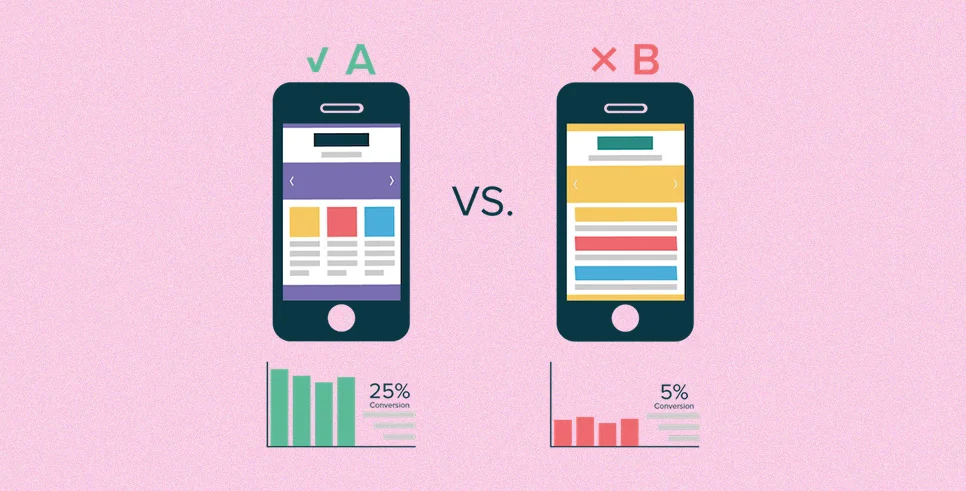
A/B testing determines whether one treatment performs differently from another within an eligible population. Personalization decides which experience a particular audience should receive.
Personalization should not be treated as proven simply because it appears more relevant. A targeted experience can introduce maintenance cost, reporting fragmentation, incorrect assumptions, or unexpected behavioral effects.
A defensible sequence is to establish a strong baseline, identify a segment with a plausible reason to behave differently, and then measure the targeted experience against an appropriate control or holdout.
For example, an enterprise visitor arriving from a comparison query may need different evidence from someone reading an introductory article. The segmentation hypothesis still needs measurement.
A/B testing and feature experimentation, rollouts, or iterative optimization
Product experimentation increasingly overlaps with release control. Teams can expose functionality to a defined population instead of treating deployment and universal release as the same event.
Feature flags separate code deployment from feature availability, allowing functionality to be enabled, disabled, or restricted without rebuilding the entire release.
Progressive rollouts increase exposure gradually. They are particularly useful when a change could affect latency, payment completion, errors, or another operational guardrail.
Feature experimentation measures the behavior of users exposed to new functionality against an appropriate comparison group before deciding whether to expand, revise, or reverse the release.
For organizations running feature experimentation with mutual exclusion, holdouts, and exposure tracking, assignment rules are as important as the variant itself. Two experiments affecting the same outcome can contaminate each other’s measurement if users enter both.
Iterative optimization loop: Hypothesis → Experiment → Decision → Controlled release → Post-release monitoring. A statistically successful experiment is evidence for a decision, not permission to stop measuring the feature once it reaches production.
Statistical Foundations of A/B Testing
Statistics make experimentation useful because ordinary variation can otherwise look like meaningful improvement. Tests become unreliable when they are too small, stopped opportunistically, measured against the wrong outcome, or interpreted without considering uncertainty.
The objective is not mathematical complexity. It is decision discipline.

What is statistical significance in A/B testing?
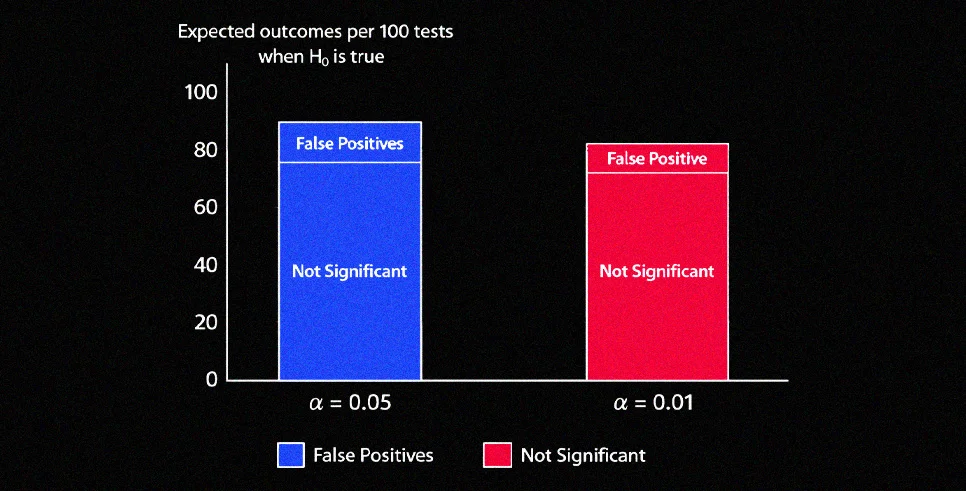
Statistical significance helps determine whether an observed difference would be unusual under a defined null hypothesis. In a conventional frequentist experiment, teams may establish an alpha threshold before launch and calculate a p-value after collecting the planned evidence.
A common interpretation error is treating significance as certainty. It does not prove that a variation will continue winning indefinitely, nor does it establish that the effect is economically worthwhile.
A statistically significant result can also be invalid if assignment, tracking, implementation, or traffic quality is broken. Sample ratio mismatch, overlapping experiments, seasonality, and instrumentation errors do not disappear because a dashboard displays a favorable confidence level.
Confidence intervals add practical context by showing a range of effect sizes compatible with the observed data. The decision should therefore consider both statistical evidence and whether the plausible impact is worth implementing.
Choosing the right statistical approach for A/B Testing
A/B testing platforms commonly use frequentist, Bayesian, sequential, or platform-specific statistical methods. The important issue is not choosing the method with the most attractive dashboard. It is understanding how the method reaches a decision.
Teams evaluating A/B testing vendors should ask how the platform handles stopping, repeated looks, multiple variants, low-volume metrics, sample ratio mismatch, confidence or credible intervals, and automatic stopping rules intended to limit false positives.
Set the analytical method and decision criteria before the experiment begins. Switching interpretations because a variation currently looks favorable undermines the test.
Frequentist Approach
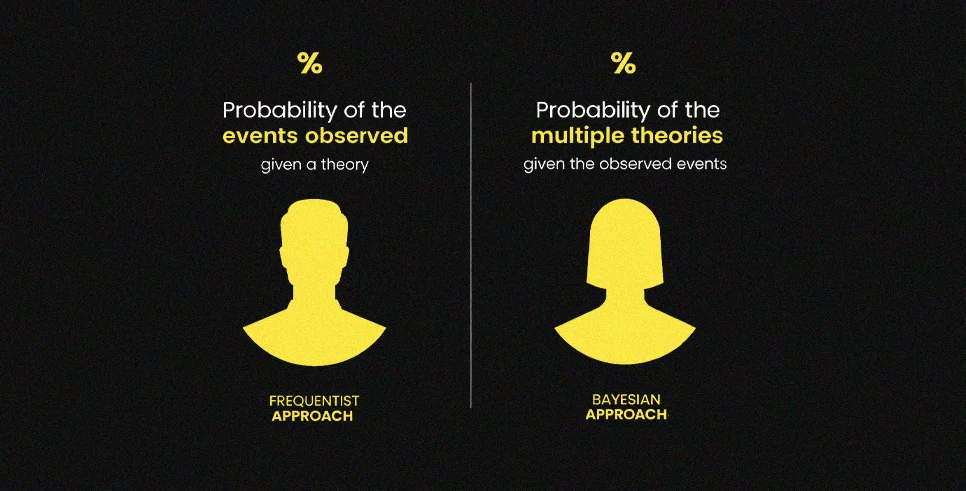
A frequentist experiment typically begins with a null hypothesis representing no difference between the control and treatment. The team establishes its metric, alpha, desired power, sample requirement, and test duration before interpreting the result.
For binary outcomes such as conversion, proportion-based tests may be appropriate. Mean-based outcomes require methods suited to their distribution and experimental design.
Repeatedly inspecting a fixed-horizon test and stopping at the first favorable reading increases false-positive risk. Teams that require legitimate interim decisions should use a statistical procedure built for sequential monitoring.
Bayesian Approach
Bayesian analysis updates probability as evidence accumulates. Instead of framing the decision only around rejection of a null hypothesis, the analysis can address questions such as the probability that one treatment outperforms another or the expected loss associated with choosing a variation.
Those outputs can be easier for stakeholders to interpret, but Bayesian testing is not free from methodological choices. Priors, loss functions, thresholds, exposure rules, and multiple comparisons still need to be handled deliberately.
A probability chart should not become another excuse to stop whenever the preferred variation moves ahead.
Key factors to consider in Statistical A/B Testing Approach
These A/B testing guidelines apply across landing pages, mobile app A/B testing, product experiments, and server-side implementations.
- Metric behavior. Binary conversion, revenue, retention, and time-based measures have different distributions and should not automatically use the same model.
- Randomization unit. Decide whether assignment occurs by user, account, device, session, or another unit. The choice changes what constitutes an independent observation.
- Allocation integrity. Unexpected imbalance between variants can indicate targeting, assignment, bot, consent, or implementation problems.
- Multiple testing. Additional variants, outcomes, and segment analyses increase the opportunity to discover an apparently positive result by chance.
- Variance reduction. When appropriate, pre-experiment information can improve sensitivity, but the technique and covariates should be selected before results are known.
Calculating sample size and powering tests

Sample requirements depend on baseline performance, the minimum effect worth detecting, the chosen error threshold, and desired statistical power.
The minimum detectable effect deserves particular attention. Set it unrealistically low and the experiment may require more traffic than the product can provide within a useful period. Set it too high and commercially valuable improvements may go undetected.
Use observed baseline data rather than assumptions wherever possible.
Duration matters independently of raw sample count. A test should represent the traffic patterns relevant to the decision. B2B demand can vary substantially by weekday, while retail behavior can change around promotions, pay cycles, or other predictable commercial events.
Teams without a dedicated data group can still run statistically valid A/B tests, but the calculation and stopping rules must be defined before launch rather than improvised from the live dashboard.
A/B Testing misconceptions to avoid
A p-value below a chosen threshold does not mean there is an equivalent probability that the variation is better. It describes the observed evidence under assumptions about the null hypothesis and testing procedure.
Statistical significance also does not establish commercial significance. A small improvement can be real but still fail to justify engineering cost, additional maintenance, lower margin, or product complexity.
More variants are not inherently better either. Every additional treatment divides traffic and expands the number of comparisons that need to be interpreted.
SEO introduces a separate set of constraints. Google explicitly advises site owners not to cloak experiments, recommends rel=”canonical” for alternate test URLs, recommends temporary 302 redirects rather than permanent 301 redirects for redirected variants, and says experiments should run only as long as needed.
A/B Testing Process. Step by Step
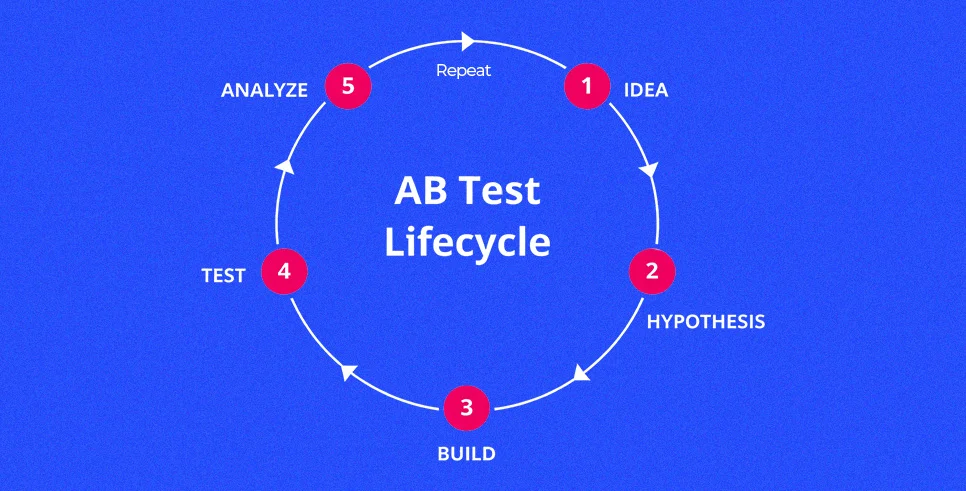
A useful A/B testing process begins before the variation is designed. The team first identifies a measurable problem, develops an explanation for that problem, determines what evidence would change the decision, and only then builds the experiment.
Documentation matters because experimentation compounds through retained knowledge. A result with no record of its audience, conditions, hypothesis, or limitations is difficult to reuse later.
Steps involved in an A/B test
A practical A/B testing framework looks like this.
- Identify the measurable problem and primary business outcome.
- Examine behavioral evidence and write a falsifiable hypothesis.
- Select the experimental unit, variation, platform, and measurement method.
- Build the treatment, configure assignment, and instrument exposure.
- QA allocation and events before exposing the planned audience.
- Run according to the predefined decision rules, analyze the result, and record what the evidence supports.
A winner can move into a controlled rollout. An inconclusive result belongs in the experiment archive with the same care as a successful test.
Identifying and prioritizing tests
Experiment backlogs should begin with observed friction rather than a list of things the team happens to be able to edit.
Useful starting points include high-intent pages with weak conversion, payment steps with abnormal exits, acquisition pages with poor message continuity, or activation flows where users repeatedly stop at the same stage.
Combine behavioral evidence with customer-facing information. Analytics identifies where movement changes. Usability research can reveal why. Support conversations expose recurring confusion. Sales feedback can identify unanswered purchase objections.
Prioritization should then account for expected impact, strength of evidence, implementation effort, traffic availability, and downside risk. A payment experiment can deserve priority while still requiring stricter QA than a copy change.
Identifying your goals

Start with the business objective, then choose the metric.
If the objective is pipeline, qualified opportunities may matter more than CTA clicks. If it is ecommerce revenue, completed transactions or revenue per visitor may be more informative than checkout initiation. If the objective is product adoption, successful activation can matter more than raw screen views.
Each experiment should have a primary KPI. Supporting metrics can explain the result, while guardrails detect damage elsewhere.
For a pricing experiment, for example, demo conversion might be primary, interaction with the pricing table could be diagnostic, and sales qualification could act as a downstream guardrail.
Creating your hypothesis

A hypothesis should state the change, the relevant audience, the expected outcome, and the behavioral reason.
A practical structure is:
“Changing X for audience Y should affect metric Z because R.”
For example: “Replacing a broad hero claim with a reporting-specific outcome for finance buyers should increase qualified demo requests because visitors can identify the product’s operational relevance before evaluating features.”
The explanation is what turns the test into reusable learning. If the variation fails, the team can question the assumed mechanism rather than simply recording that “Version B lost.”
Deciding what to test
Choose variables with a credible path to the KPI.
Landing-page experiments may focus on proposition clarity, proof, form sequence, pricing context, or the route to conversion. Ecommerce experiments may examine delivery disclosure, product selection, payment methods, cart behavior, or validation. SaaS tests can address onboarding, plan comparison, trial activation, feature discovery, and upgrade prompts.
Mobile app A/B testing requires additional attention to persistent assignment, app versions, operating systems, event consistency, and release state. The same user should not unknowingly move between treatments because they reopened the app.
When an experiment modifies business rules rather than presentation, the architecture should reflect that. Eligibility, recommendations, authenticated functionality, pricing, and persistent product behavior generally belong in a server-side or feature-experimentation layer.
Implementing your test

This is where experimental design becomes an operating system rather than a document.
- Select for fit. Evaluate mobile A/B testing tools and web platforms against your architecture, statistical model, integrations, permissions, and required assignment method.
- Implement exposure deliberately. Define the control, treatment, eligibility rules, traffic allocation, and persistent assignment before launch.
- Validate on limited traffic. Higher-risk experiments can begin with restricted exposure while engineering verifies rendering, errors, and measurement.
- Reconcile analytics. Record experiment and variant identifiers with conversion events so the testing platform can be checked against GA4, product analytics, or the business’s reporting layer.
For mobile experiments, verify assignment and event behavior separately on supported iOS and Android versions before increasing traffic.
When comparing A/B testing solutions, integrations with Google Analytics, Mixpanel, and other product analytics platforms matter only if exposure and conversion data can be reconciled reliably. An integration badge alone does not establish measurement quality.
Evaluating your tests
Begin with experiment health rather than the reported uplift.
Confirm assignment ratios, exposure events, conversion events, performance, audience eligibility, and any external event capable of changing the traffic mix. A result should not be interpreted until the experiment itself is trustworthy.
Next, evaluate the primary KPI and its uncertainty. Then inspect the predefined guardrails. Secondary metrics can help explain the mechanism but should not be searched opportunistically for a replacement “win.”
Record unsuccessful and inconclusive experiments too. Capture the hypothesis, audience, exposure period, sample, traffic conditions, result, limitations, and decision so the organization does not pay twice to learn the same lesson.
Ensuring statistical significance
Statistical reliability depends on effect size, variance, sample size, allocation, and the decision procedure.
Do not stop a fixed-horizon test simply because an early chart looks favorable. Short-term movement can reflect random variation, novelty, or a temporary change in audience composition.
Before launch, establish the primary metric, sample target, minimum duration, guardrails, and stopping method. If automatic stopping is important, evaluate whether the platform’s statistical method actually supports repeated interim decisions rather than treating a conventional significance threshold as a stop button.
For experiments involving indexable content, follow Google’s website-testing guidance on cloaking, canonicals, temporary redirects, and test duration.
Analyzing Results and Turning Wins Into Growth

An experiment produces value only when its evidence changes a decision. The final outcome may be to release the treatment, develop a second hypothesis, retain the control, or conclude that the observed difference is not actionable.
The larger benefit comes from patterns across experiments. Repeated evidence about what customers respond to can influence product design, acquisition messaging, onboarding, sales enablement, and future hypotheses.
Analyzing test results
Start with an integrity check. Confirm expected traffic allocation, stable user assignment, valid exposure tracking, functioning conversion events, and reasonable agreement between the experimentation platform and the analytics system used for business reporting.
Then examine the estimated effect and its uncertainty. A positive point estimate surrounded by a wide interval may not support rollout. A smaller but more stable effect can sometimes produce a clearer business decision.
Guardrails come next. The primary KPI should be considered alongside relevant consequences such as lead quality, transaction value, errors, refunds, latency, cancellations, or downstream sales outcomes.
The last step is operational. Release when the evidence supports release. Iterate when the mechanism remains plausible but the treatment is weak. Stop when the hypothesis is not supported. Preserve the result either way.
Maintaining testing culture and velocity
Experiment velocity should describe learning throughput, not the number of tests launched.
A mature program has shared rules for hypotheses, metric selection, QA, exposure logging, statistical interpretation, experiment ownership, and documentation. Those standards make results easier to trust across product, marketing, engineering, and analytics teams.
Teams should also expect losing tests. If nearly every experiment produces a reported winner, investigate whether hypotheses are overly conservative, negative results are being discarded, or decision rules are too flexible.
A useful testing culture rewards evidence that improves the next decision, including evidence that tells the company what not to build.
Challenges, Risks, and Edge Cases

A/B testing observes real behavior, but the apparent precision of a dashboard can hide implementation errors.
Risk increases when experiments touch revenue, search visibility, payments, account logic, or long-lived product behavior. Those cases require stronger controls before the first user enters the experiment.
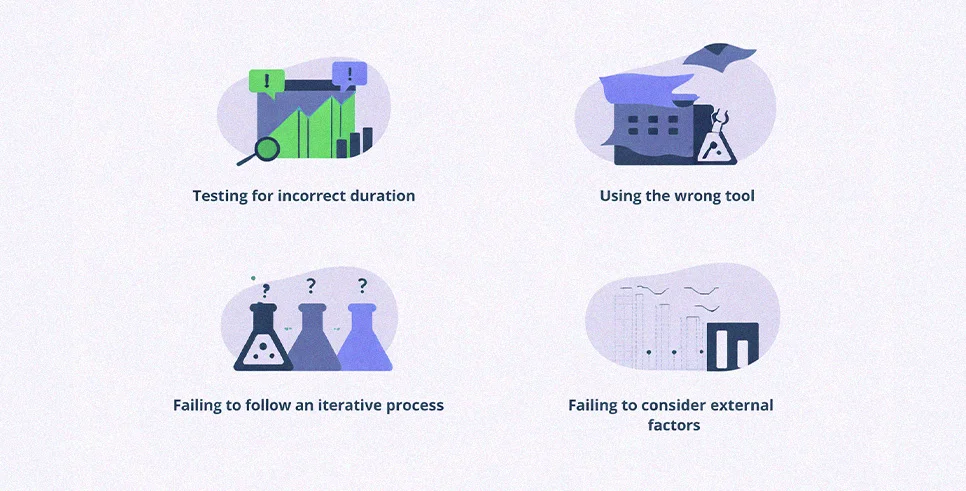
Main challenges of A/B testing
The first problem is measurement disagreement. An experimentation platform can report an uplift while GA4, the CRM, or the transaction system shows something materially different. Missing exposure events, duplicated conversions, attribution differences, and inconsistent identifiers are common causes.
Traffic instability is another problem. A campaign launch, media mention, promotional event, outage, or channel-budget change can alter the audience during the experiment.
Some effects also change over time. Novelty can temporarily improve engagement, while delayed outcomes such as churn, refunds, repeat orders, or support demand may not appear inside the initial testing window.
Finally, results do not automatically generalize. Evidence from one acquisition source, geography, device population, or user cohort may not hold elsewhere. Segment analysis is useful when planned for a reason; searching dozens of slices after the test is not a substitute for a valid primary analysis.
SEO Risks of A/B Testing: The Section Most Guides Skip
Most A/B testing guides treat SEO as an afterthought. They mention a few Google guidelines and move on. This section goes deeper, because how you run experiments can actively harm your organic rankings if you get it wrong, and most teams never find out why.

The core SEO risk: cloaking Google defines cloaking as showing different content to crawlers than to users. Client-side A/B testing that swaps content after page load can create exactly this pattern, Googlebot sees the original, users see the variant. If the variant contains different headings, body copy, or structured data, Google may index content that no real user ever sees.
Why server-side A/B testing is safer for SEO
Server-side A/B testing delivers the variant to both users and crawlers consistently. Googlebot sees the same content as the user assigned to that variant. Before testing indexable pages, consult a team providing technical SEO services to review canonicalization, redirect behavior, rendering, crawling, page speed, duplicate URLs, and whether the experimentation setup could create inconsistent search-engine access. This eliminates the cloaking risk entirely and is the recommended approach for any test that changes headings, body copy, meta data, structured data, or URL structure.
Google’s official guidance on website testing is explicit on several points:
- Do not serve different content to Googlebot than to users.
- Use rel=”canonical” on test variation pages pointing back to the original URL.
- Use 302 (temporary) redirects instead of 301 (permanent) redirects when redirecting to variants, 301s can transfer ranking signals to the wrong URL.
- Run experiments only as long as necessary. Extended tests signal manipulation to Google.
- Do not use JavaScript-heavy client-side swaps on pages where rendered content is the primary indexable signal.
Traffic quality and intent mismatch. Measuring “wins” correctly

A lift means little if the populations being compared are not comparable.
Random assignment protects against many differences, but an unstable acquisition mix can still complicate interpretation. A high-intent organic visitor arriving on a product page behaves differently from someone encountering the same page through a broad social campaign.
Mobile app experiments have similar issues. A newly acquired user, a returning subscriber, and someone entering through a referral promotion can arrive with very different expectations.
When the hypothesis warrants it, examine prespecified segments such as channel, device class, user tenure, geography, or account state. Use segmentation to understand heterogeneous effects, not to keep searching until one subgroup produces a favorable number.
Avoiding false positives, peeking, underpowered tests, and noisy data
A false positive occurs when the analysis identifies an effect that is not reliably supported.
Peeking can contribute when a fixed-horizon experiment is checked repeatedly and stopped as soon as a favorable significance threshold appears. Underpowered tests create the opposite frustration: estimates move substantially because the sample cannot distinguish useful effects from ordinary noise.
Metric proliferation causes another problem. The more outcomes, variants, and segments examined without adjustment, the more opportunities there are to find an apparently interesting result by chance.
Not all noise is statistical. Bots, consent behavior, internal traffic, broken event firing, unstable assignment, browser restrictions, and campaign changes can corrupt the inputs before statistical analysis begins.
A/B Testing and Personalization
A/B testing and personalization answer related but distinct questions. Experimentation asks whether a treatment changes an outcome. Personalization determines which eligible audience receives a particular treatment.
Without controlled measurement, personalization can become a growing collection of assumptions that are expensive to maintain and difficult to evaluate.
A better model connects targeted experiences with acquisition strategy, product behavior, analytics, and the conversion objective instead of creating independent rules for every channel.

Relationship between A/B testing and personalization
A/B testing compares experiences within an eligible population. Personalization uses known attributes or behavior to change what a particular audience receives.
A returning pricing-page visitor, for example, may have different information needs from a first-time educational visitor. A wholesale customer may need different purchasing details from an individual shopper. Those are plausible hypotheses, not guaranteed improvements.
Personalization can increase relevance, but unnecessary rules can fragment analytics and content management. Worse, incorrect assumptions can make an experience feel less relevant than the default.
Each meaningful personalization therefore needs an appropriate comparison.
How experimentation supports targeted experiences and continuous optimization
Experimentation establishes whether the targeted experience creates incremental value rather than merely appearing in a segment that already performs well.
Holdouts are particularly important here. Suppose returning visitors naturally purchase more frequently. If every returning visitor receives the personalized experience, higher conversion cannot automatically be attributed to personalization.
Contentful currently describes personalization holdouts as the proportion of eligible users who continue seeing baseline content, allowing baseline and personalized performance to be compared.
Continuous optimization can then follow a controlled sequence: establish the baseline, test the broad treatment, investigate justified segment differences, preserve a comparison group where long-term measurement matters, and monitor delayed outcomes such as retention or repeat purchasing.
A/B Testing With Contentful
Contentful’s current Personalization architecture supports experiments as randomized experiences connected to audiences and content variants. An experiment can specify a primary metric, distribution, traffic allocation, audience, and components, with the control representing the baseline content.
For content teams, this means editorial variants can remain within the CMS while the experimentation layer handles eligibility and assignment. Engineering still owns critical implementation concerns such as SDK behavior, measurement, rendering, performance, and production validation.
Contentful’s current documentation also distinguishes deterministic personalizations from randomized experiments, which is important when deciding whether the objective is targeting or causal comparison.

First path.
Use Contentful Personalization for content experiments and targeted experiences. Experiments are created from a Ninetailed Experience entry type. You configure experiment options there, primary metric, distribution, traffic allocation, audience, and components. This works like an A/B testing application inside the CMS, speeding up A/B landing page testing and messaging tests. Content editors can control variants without rebuilding pages.
Second path.

Use Contentful Personalization for content experiments and targeted experiences. This path works well for headline tests, landing page messaging, page modules, audience-based content, and component-level personalization.
The experiment is created inside Contentful using a Ninetailed Experience entry type. The team configures the primary metric, distribution, traffic allocation, audience, and components. This keeps experimentation close to the editorial workflow and reduces back-and-forth for content-led tests.
The main caution is measurement. Even when the experiment is easy to create, the team still needs clean analytics, variant IDs, source-of-truth reporting, and guardrail metrics.
Third path.
Use feature flags for server-side A/B testing and safer rollouts. This path is useful for experiments involving page logic, product features, eligibility, authenticated experiences, or changes that must remain consistent across sessions and devices.
Contentful’s LaunchDarkly app lets teams manage feature flags in Contentful and map entries to variations. LaunchDarkly’s documentation explains that editors can map Contentful entries to LaunchDarkly variation values, while developers evaluate flags through SDKs and render the mapped content at runtime.
This approach is especially useful when the experiment is not just a content swap. It supports server-side assignment, controlled exposure, rollback, and cleaner release management.
Whichever route you choose, the measurement principle stays the same: define one primary KPI, log experiment and variant identifiers, check guardrails, and validate the testing platform against the analytics system used for business decisions.
How COLAB DXB Turns A/B Test Ideas Into Measurable Revenue

An experiment can have a strong hypothesis and still fail operationally. The variation may render incorrectly, assignment may reset between sessions, or conversion events may not identify which treatment the user actually saw. Those failures turn an experiment into an analytics dispute.
As a web design and development agency, COLAB DXB can structure websites and landing pages so experimentation requirements are considered during implementation rather than added after the first test is already live.
For interface and messaging experiments, that means identifying the behavior being tested, building the treatment cleanly, configuring the relevant A/B testing application, and validating the conversion event before traffic is divided.
Product-level experiments require different controls. Pricing behavior, eligibility, checkout logic, and authenticated features may call for server-side A/B testing, persistent assignment, feature flags, and staged exposure instead of a browser-based visual change.
For Contentful implementations, variant content can remain in the CMS while Contentful Personalization, custom flags, or another appropriate experimentation layer handles delivery. The objective is not to maximize the number of tests. It is to produce experiment data that product, marketing, and analytics teams can actually use to make a release decision.
What Could Be Your Next Steps
Choose one meaningful experiment rather than building a large testing backlog immediately. Start with an experience that has sufficient traffic, a measurable commercial purpose, and evidence of friction.
Before creating the variation, document the audience, hypothesis, primary KPI, guardrails, experimental unit, minimum effect worth detecting, sample requirement, and decision method. Verify that exposure and conversion events can be reconciled with the analytics system the business already trusts.
Then choose the implementation method based on the nature of the change. Presentation-level web experiments may fit a client-side tool. Mobile app A/B testing needs stable assignment and app-specific event validation. Pricing, feature access, checkout logic, and persistent product behavior are stronger candidates for server-side experimentation or feature flags.
Finally, maintain an experiment database that records hypotheses, conditions, outcomes, and decisions. The real return on experimentation comes when previous evidence makes future tests more informed rather than merely increasing the number of variations launched.

About The Author
Sid hasan
Sid Hasan is an entrepreneur and marketing strategist recognized for his expertise in brand growth, digital innovation, and business development. With over a decade of experience, he has guided companies in building data-driven marketing ecosystems that generate measurable results.
As the founder of COLAB Marketing Inc., Sid leads a global agency serving over 200 brands across the U.S. and UAE, blending creative storytelling with performance-driven strategy to help businesses scale effectively.
Through COLAB, he continues to empower emerging and established brands to transform ideas into lasting market impact through strategic clarity, creative execution, and digital excellence.
