

UX Audit. Definition, Purpose, and Outcomes
A UX audit, also referred to as a user experience audit, is a structured evaluation of how real users experience a digital product. A website UX audit looks across the full interface to identify what is working, what is creating friction, and what is quietly blocking outcomes like signups, purchases, or qualified leads. The scope goes beyond visuals. A thorough UX design audit also checks flow clarity, navigation and information architecture, content comprehension, accessibility, and whether the experience matches what users actually need to complete their goals. The result is a prioritized set of findings that translate into a roadmap and implementation plan, including a reusable UX audit template, a structured UX audit report template, and a UX audit checklist that teams can apply consistently in future review cycles.
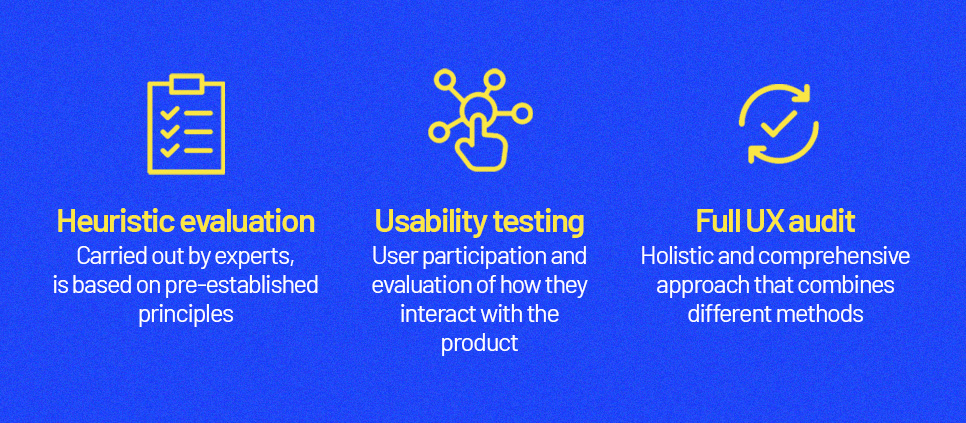
What a UX audit is not. Heuristic evaluation vs usability testing vs full UX audit
A common confusion is treating a UX audit as the same thing as a heuristic review or a usability audit. Understanding the distinction between a UX audit vs heuristic evaluation matters because they serve different purposes. A heuristic evaluation is an expert inspection method that checks an interface against recognized usability principles. It is fast and systematic, often using frameworks like Nielsen’s 10 usability heuristics.
Usability testing is different. It observes representative users attempting real tasks so you can see where they struggle, what they misunderstand, and what blocks completion. A full user experience audit typically combines multiple methods, UX audit heuristic evaluation, analytics review, behavioral data analysis, flow mapping, accessibility checks, content clarity review, and targeted testing. That is why experienced practitioners describe UX audits as understanding both what is happening and why it is happening, rather than relying on any single method alone.
Benefits of a UX audit
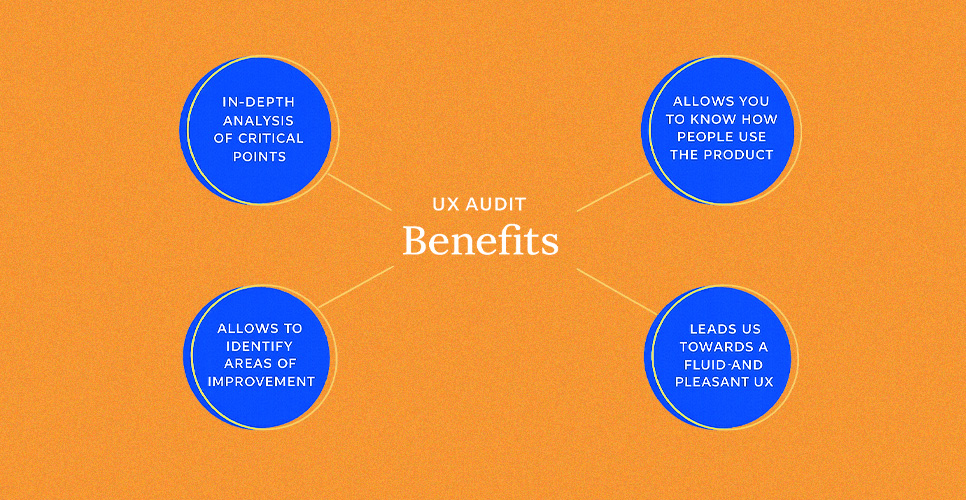
The biggest benefit is clarity backed by evidence. A user experience audit helps teams stop guessing and start prioritizing. It surfaces usability and interface issues that reduce task completion rates, identifies broken expectations inside critical journeys, and highlights where content or navigation is failing to serve user intent. It also aligns stakeholders around a shared view of the experience, because findings connect to observable problems and measurable impact rather than opinions about style.
The best UX audit process frameworks are designed to turn findings into recommendations and a repeatable improvement cycle, so the work strengthens the product now and reduces future rework.
The biggest benefit is clarity backed by evidence. A user experience audit helps teams stop guessing and start prioritizing. It surfaces usability and interface issues that reduce task completion rates, identifies broken expectations inside critical journeys, and highlights where content or navigation is failing to serve user intent. It also aligns stakeholders around a shared view of the experience, because findings connect to observable problems and measurable impact rather than opinions about style.
The best UX audit process frameworks are designed to turn findings into recommendations and a repeatable improvement cycle, so the work strengthens the product now and reduces future rework.
Reasons to conduct a UX audit
Teams typically run UX audits when outcomes slip or when change introduces risk. That includes conversion drops, rising abandonment in key flows, increased support tickets, lower quality leads, or noticeable gaps between mobile and desktop behavior. Audits are also valuable before or after a redesign, a major feature release, a CMS migration, or when expanding into new markets and user segments.
In regulated or high-trust industries such as UX audit healthcare and UX audit pharma, audits are often used to reduce experience risk by validating clarity, accessibility, and predictable interaction patterns. The consistent goal across all user experience audits is to reveal both visible and hidden issues across flows and content, then generate improvements teams can realistically implement.

What makes a good user experience
A good user experience is not a vibe. It is whether users can achieve their goals effectively, efficiently, and with satisfaction in their real context. That framing aligns with ISO’s usability definition and it is useful in an audit UX design context because it turns subjective design debates into measurable questions. Can users complete the task? How quickly? How confident?
At the interface level, good UX is supported by principles such as visibility of system status, consistency, error prevention, and clear recovery paths when mistakes happen. Nielsen’s heuristics remain a practical lens for identifying where interfaces break down during a UI audit or broader evaluation.
Modern expectations also include accessibility and mobile readiness. WCAG 2.2 adds success criteria that affect everyday interface decisions, such as ensuring focus is never obscured and meeting minimum target size requirements for pointer inputs.
Because Google uses the mobile version of content for indexing and ranking, mobile usability and content parity directly influence both search visibility and user satisfaction, making a website user experience audit valuable from both a conversion and organic performance standpoint.
When to Run a UX Audit
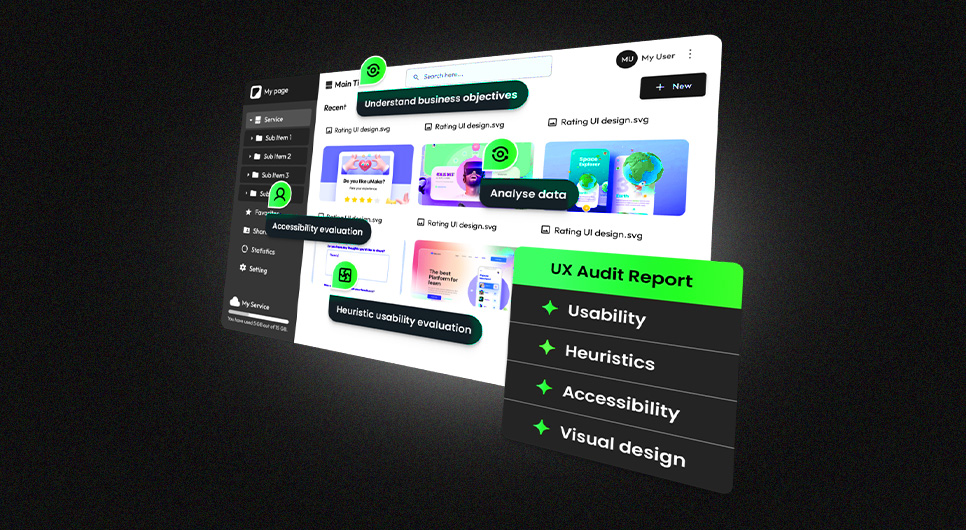
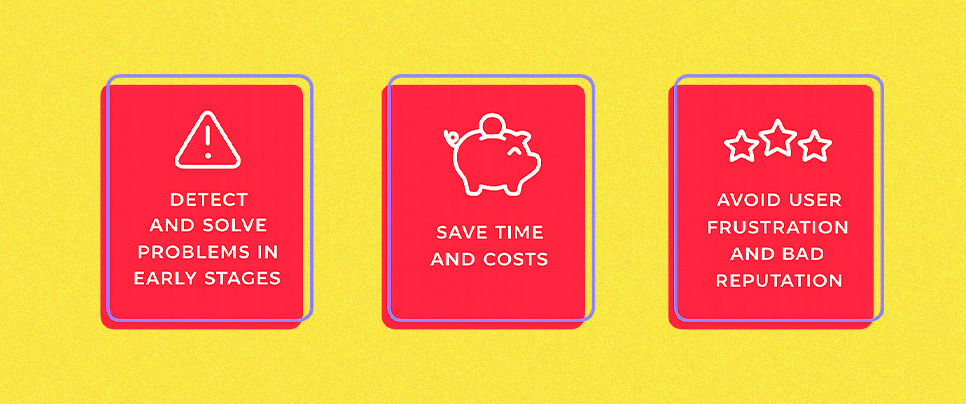
A UX audit is most valuable when there is a clear business question behind it. The goal is to run a website UX audit when you can still act on findings quickly, not months after the damage compounds.
Best timing signals and triggers
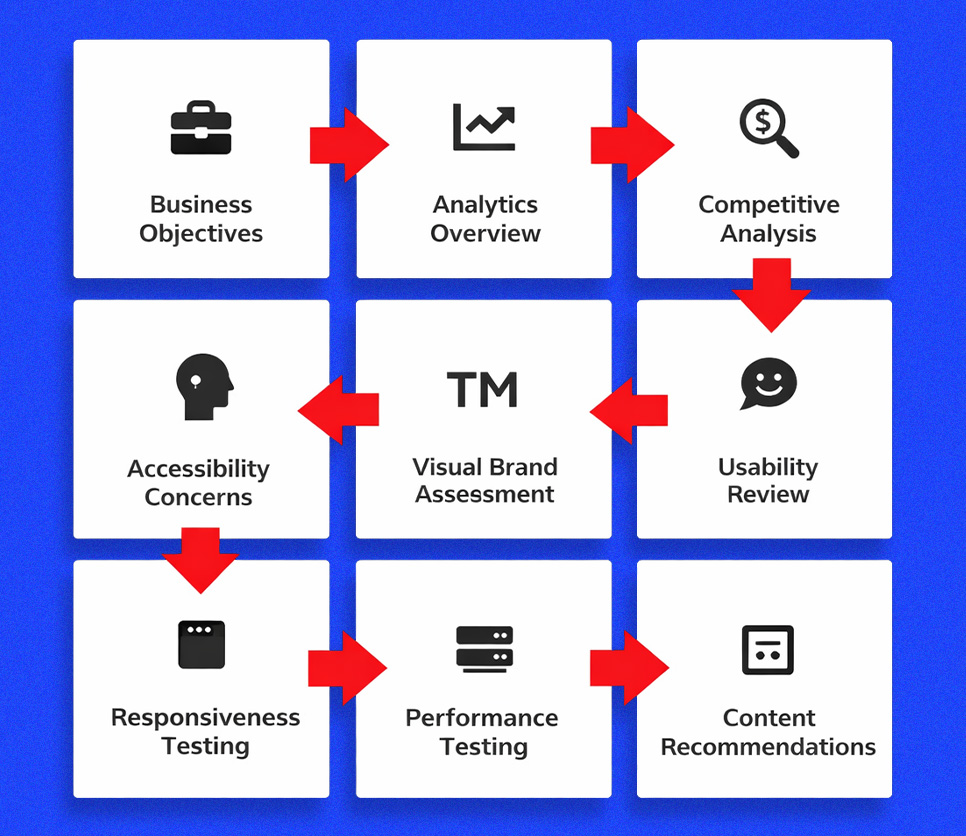
The strongest trigger is a measurable change in outcomes that cannot be explained by traffic quality alone. If conversions drop, lead quality declines, checkout abandonment rises, or support tickets spike around the same pages, those symptoms typically point to friction in navigation, forms, content clarity, or feedback states. They also appear when mobile behavior diverges from desktop behavior, which matters because Google uses mobile-first indexing. That makes mobile experience issues a visibility risk as well as a conversion risk, exactly the kind of problem a UX website audit is designed to surface.
A second trigger is change. Run a UX site audit before and after major launches, redesigns, new funnels, CMS migrations, pricing changes, new onboarding flows, or new integrations. The purpose is to catch regressions early, especially in responsiveness and interaction quality. Interaction responsiveness is now formally measured through Core Web Vitals via INP, which replaced FID on March 12, 2024. If a release adds heavier scripts, complex UI effects, or slow form interactions, an audit helps identify what is hurting real user experience before it becomes a long-term problem.
A third trigger is risk exposure in high-trust categories. For UX audit healthcare and UX audit pharma, audits are often run around compliance-sensitive journeys like appointment requests, patient information flows, product clarity, and accessibility requirements. WCAG 2.2 is the practical baseline for accessibility expectations, so a UX audit of website flows that includes structured accessibility checks is a safer default than treating it as a last-minute QA item.
Considerations before starting your next UX diagnosis

Before starting, decide what kind of UX audit you actually need. A usability-focused UX design audit emphasizes flows and task completion. A UI consistency review focuses on component behavior and visual hierarchy. A content audit UX focuses on clarity, trust signals, and message alignment. A full UI UX audit combines these and prioritizes issues by impact and effort. Defining this upfront prevents scope creep and keeps your UX audit process decision-ready instead of turning into a long list of opinions.
Next, ensure measurement readiness. If analytics events are missing or unreliable, your conclusions will be weaker. Treat tracking validation as a companion step, a lightweight google analytics audit checklist mindset helps here. Confirm that conversions, form submissions, call clicks, and key journey events are measured consistently so you can connect audit findings to outcomes rather than relying on page views alone.
Finally, define your scope clearly. Choose priority flows and templates, set clear success metrics, and decide whether you are running this internally or engaging a UX audit service. If you plan to compare pages or validate improvements after the audit, align stakeholders early so implementation decisions are not blocked later. A skilled UX auditor can surface issues quickly. Execution speed depends on access, ownership, and agreement on what a resolved issue actually looks like.
Audit Preparation and Planning
A user experience audit only becomes useful when it is planned like an investigation, not a brainstorming session. This is the step where a website UX audit becomes a repeatable UX audit process with clear scope boundaries, evidence standards, and named decision owners. When preparation is done well, the audit output can be implemented quickly, measured reliably, and reused as a baseline for future UX audits.
Define project scope and objectives
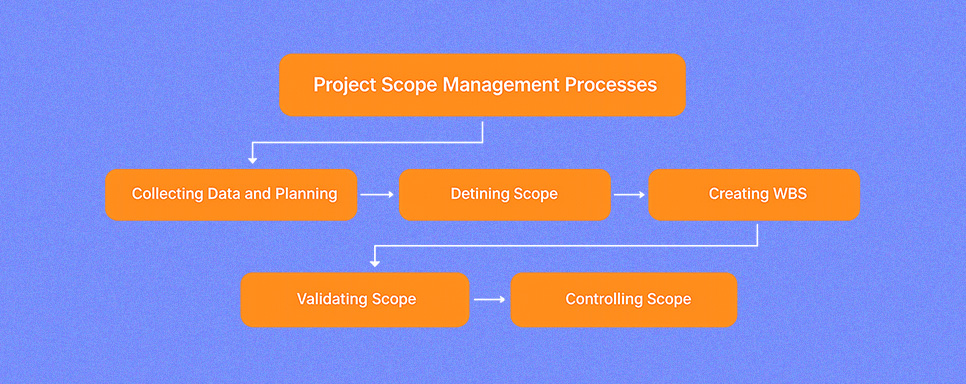
Start by defining what you are auditing and what you are deliberately leaving out. A UX site audit can focus on pages, templates, or end-to-end journeys, but it should never attempt to review everything at equal depth. The cleanest scope is built around high-impact user flows, homepage to service to contact, product discovery to checkout, or onboarding to activation.
If the scope includes both interface and content layers, define whether it covers navigation and information architecture, content clarity, accessibility, and performance experience, or whether it is limited to interface consistency and interaction patterns. Your objective should read like a decision statement: “identify the top friction points lowering lead quality” or “reduce drop-offs in the checkout flow.” That makes the UX audit outcome actionable rather than a list of observations.
Set goals and success metrics
Once scope is clear, attach success metrics so findings can be prioritized by impact. This is where good UX becomes measurable. Define what success looks like for the flow you selected, then choose a small set of metrics that reflect that outcome. For lead generation, that might be from completion rate and qualified lead volume. For ecommerce UX audit work, it might be add-to-cart progression and checkout completion. For content-heavy sites, it might be task completion behavior such as reaching key pages and engaging with primary calls to action.
Avoid selecting too many metrics. A focused set keeps the UX audit process purposeful and prevents every issue from feeling equally urgent.
Align stakeholders and expectations
A user experience audit drives change, so alignment matters before the first screen is reviewed. Identify who owns business goals, who makes design decisions, who controls development capacity, and who signs off on priorities. Then align on what the audit will deliver, a prioritized findings list, a recommended roadmap, and an execution-ready format that includes a structured UX audit report template and a reusable UX audit checklist. Also align on the evidence standard.
What counts as proof? Analytics signals, session recordings, user feedback, heuristic violations, accessibility failures, and direct observations from testing. When stakeholders agree on evidence upfront, the audit is harder to derail with subjective debates.
Audit team, roles, and required expertise
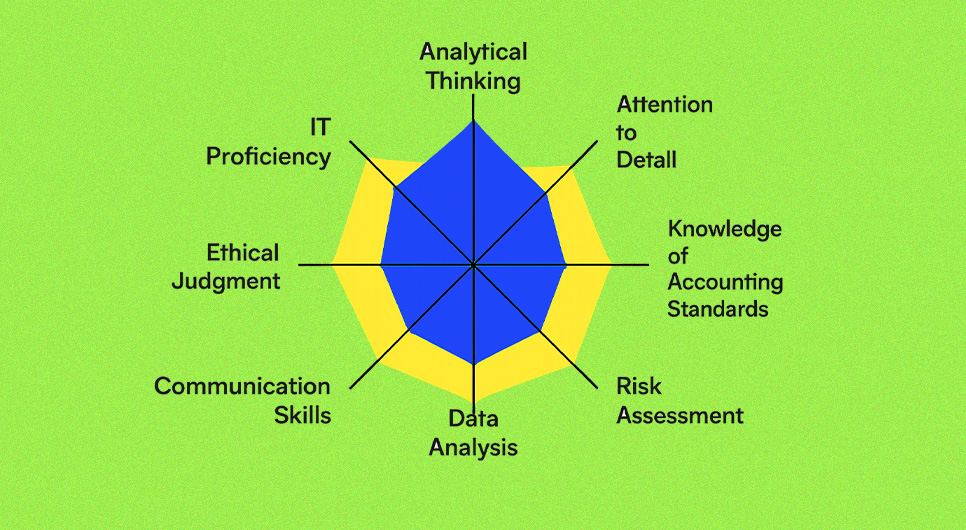
The right team depends on scope. A single experienced UX auditor can run a focused usability audit for a smaller site. A larger product audit typically requires a mix of skills so findings are not one-dimensional. You want UX research thinking for user flows and task success, UI design expertise for component consistency and hierarchy, content or UX writing input for clarity and microcopy, and a development perspective for feasibility and effort sizing.
For audits in regulated contexts such as UX audit healthcare or UX audit pharma, include someone who understands compliance-sensitive user journeys and trust requirements so recommendations stay both realistic and appropriate.
Get set up for success

Before reviewing any screens, set up access and documentation so the UX auditing process runs efficiently. Ensure you have analytics access, any behavioral tools you use for recordings or heatmaps, and a clear inventory of the templates and flows in scope. Decide on your working format early, whether that is a UX audit template that logs issues by page and flow, or a spreadsheet-style tracker that captures severity, evidence, impact, and effort for each finding.
Define what severity labels mean so everyone applies them consistently. This setup step is also where you confirm measurement readiness. Without it, even a well-executed audit becomes difficult to validate and improvements cannot be tied back to real outcomes.
UX Audit Types and Coverage Areas
Once scope and planning are set, the next move is choosing the right audit lens. A full UX audit can include several types, but each type answers a different question. The goal is to match the method to the risk. If you need to improve task completion, you run a usability audit. If you need inclusive access and safer interaction patterns, you run an accessibility-focused review.
If the interface feels visually inconsistent, you add a design audit or UI audit layer. If users are not understanding the message or trusting the page, you prioritize a content audit UX. Most comprehensive UX UI audit frameworks treat this as a combined review of experience and interface to identify strengths, friction points, and improvement opportunities.
Usability audit
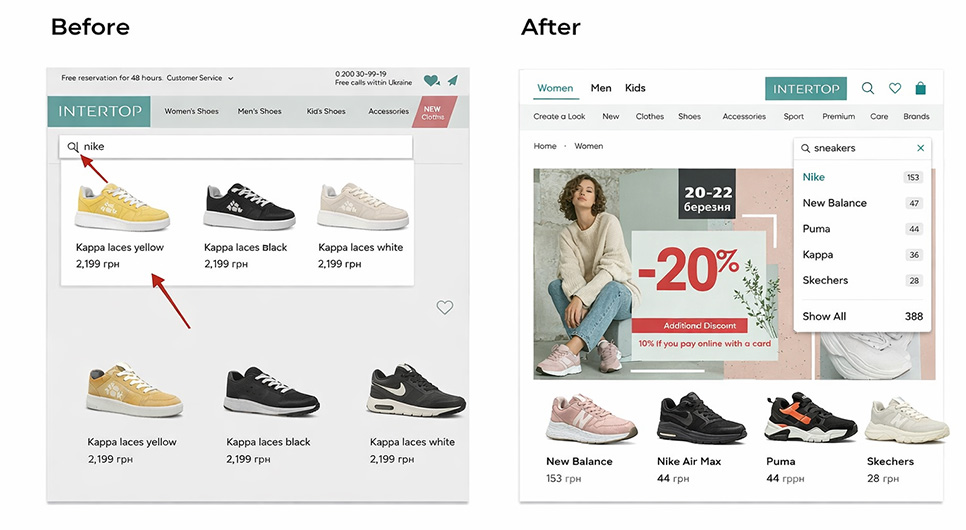
A website usability audit focuses on whether users can complete real tasks without friction. It evaluates the experience through flows such as finding information, comparing options, completing a form, or finishing checkout in an ecommerce UX audit. The output is not “this looks better.” It is a map of breakdowns, where users hesitate, where they misread labels, where errors occur, and where the product forces unnecessary steps. Usability evaluation is fundamentally about assessing how easily users can achieve their goals, which is exactly what this audit type measures.
A usability audit can be purely expert-led, but the strongest versions connect observations to evidence. Analytics drop-offs, session recordings, and targeted usability testing confirm whether an issue is widespread or isolated. UX audit heuristic evaluation often runs as an expert inspection layer within this process, a structured method for identifying usability problems by judging the interface against established guidelines. It is fast and systematic, but it remains one input within broader UX auditing rather than a complete substitute.
Accessibility audit
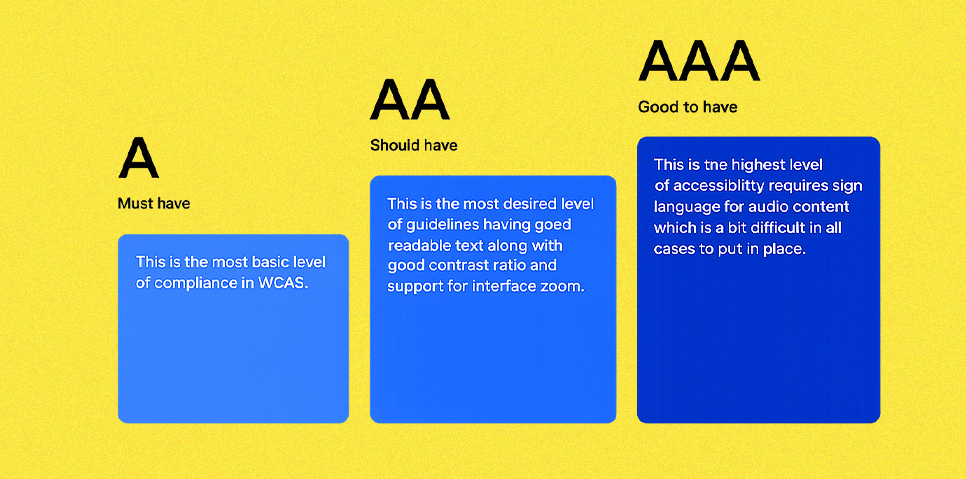
An accessibility audit checks whether people with different abilities can operate the product, understand its content, and complete key tasks. It covers keyboard navigation, focus visibility, readable contrast, form behaviors, and alternative interaction paths for users who cannot use drag gestures or complex pointer inputs. WCAG 2.2 is the current W3C standard for web content accessibility and introduces success criteria that directly affect modern interface decisions, including Focus Not Obscured, Dragging Movements, Target Size (Minimum), Redundant Entry, and Accessible Authentication (Minimum).
This audit type is especially important in high-trust categories and regulated service areas. For UX audit healthcare and UX audit pharma, clarity, error prevention, and predictable interaction patterns directly influence safety and user confidence. The practical approach is baseline compliance combined with real usability validation. Automated tools can surface a portion of issues, but manual testing is essential for validating keyboard navigation flow, focus behavior under sticky headers, and the full form completion experience.
Visual design audit

A visual design audit focuses on consistency, hierarchy, and interface clarity. It answers practical questions: Can users immediately recognize what is clickable? Do headings and spacing guide scanning? Are components consistent across templates? Are error states, empty states, and success states presented in a clear and repeatable way? This is where many audit UX UI projects uncover “death by a thousand cuts”, individually minor inconsistencies that collectively reduce trust, slow navigation, and increase mistakes.
Design auditing is not about style preference. It is about system integrity. When typography rules, spacing rhythm, and component behavior are inconsistent, users work harder to interpret the interface. The output typically becomes a set of UI standards, a component cleanup plan, and template-level fixes that improve clarity across the entire site without requiring a full redesign.
Content audit
A content audit UX is different from a content inventory. It evaluates whether the words, structure, and trust cues are doing their job at each stage of the user journey. It checks whether pages answer user intent, whether headings support scanning, whether microcopy prevents errors, and whether calls to action are specific and reassuring. It also checks whether claims are supported, pricing clarity, policies, guarantees, compliance statements, and security reassurance where relevant. This is a significant lever in any website UX audit because users frequently abandon not because the interface is broken, but because the message is unclear.
A strong content audit UX ends with specific rewrite and restructuring recommendations, not vague feedback. It improves readability, scannability, and decision confidence, giving the rest of the UX audit process a clearer path to measurable outcomes.
Data and Tools for UX Audits
A strong user experience audit becomes credible when it is anchored in evidence. The goal of this section is to explain how to power your audit types with the right data so findings are not based on opinions or isolated observations. Most experienced practitioners frame UX audits as a combination of quantitative signals, clicks, conversions, drop-offs, with qualitative insight from observing or interviewing real users.
What UX audit tools you need
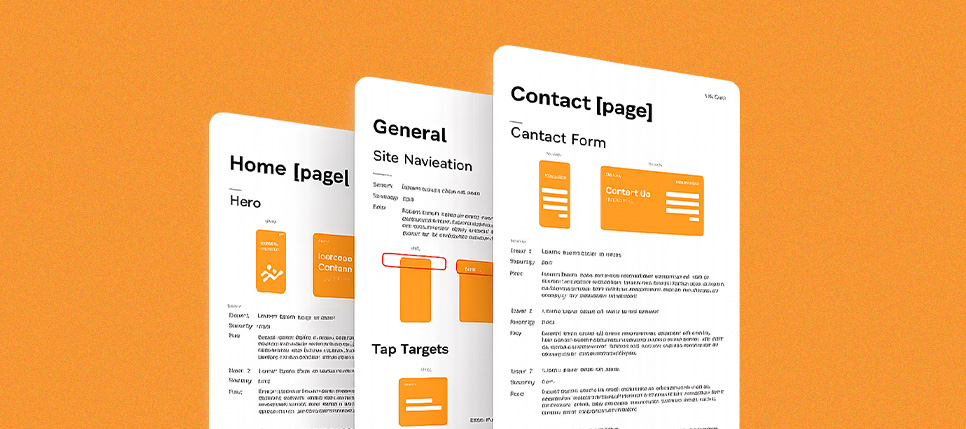
You do not need a large tool stack to run a useful UX audit. You need coverage. Traditional analytics to understand what users are doing at scale. Behavioral tools to see how users interact on real pages. Product analytics when you need event-level funnels, cohorts, and retention data. Then you need a documentation system, a structured UX audit template or UX audit report template that captures evidence, impact, and recommended fixes in a format stakeholders can act on. Experienced practitioners treat these UX audit tools categories as the foundation for a repeatable UX audit process.
Traditional analytics
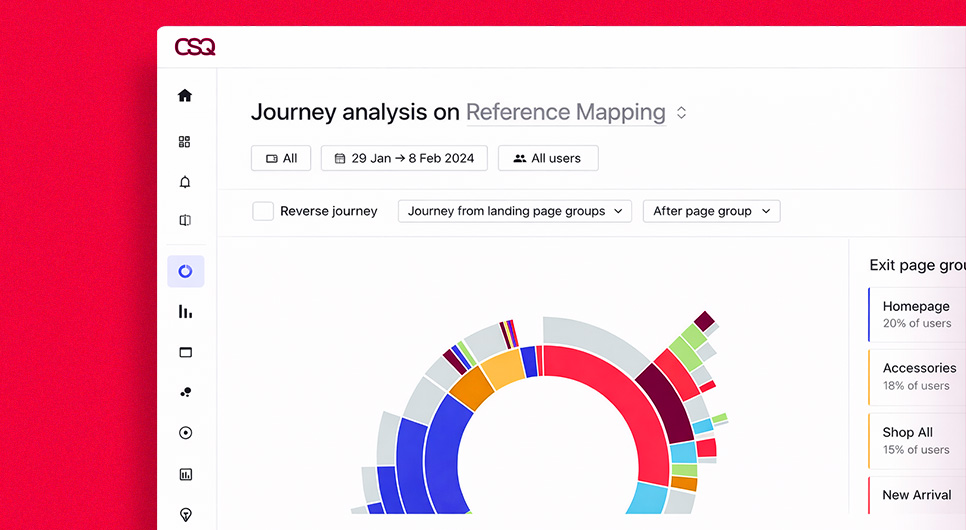
Traditional analytics is where most website UX audit work starts because it highlights where problems are likely concentrated. It helps you identify high-traffic entry pages, pages with abnormal exit rates, and steps where users drop out of key journeys. In GA4, the practical foundation is event tracking. Google’s documentation explains that the platform is event-based and provides recommended events you can configure to measure the behaviors that matter most.
For audit readiness, apply a google analytics audit checklist mindset. Confirm that critical actions are tracked consistently, form submissions, phone clicks, purchases, add-to-cart events, booking starts, and booking completions. Then mark the most important events as conversions or key events so you can connect UX audit findings to outcomes rather than relying on page-view data alone.
Behavior analytics
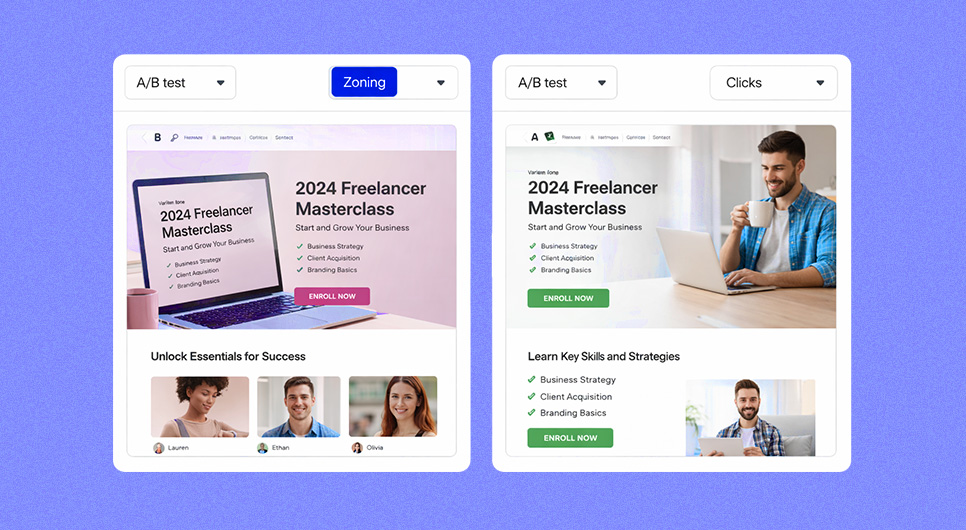
Behavioral tools add the “what happened on the screen” layer that traditional analytics cannot show. Behavioral analytics is about analyzing how users interact with digital products to uncover friction patterns, and this is exactly what moves a UX design audit from assumptions to observable evidence.
In practice, the most valuable UX audit tools here are heatmaps and session recordings. Heatmaps visualize where users click and scroll, and session recordings recreate real journeys so you can observe hesitation, dead clicks, missed calls to action, and confusing navigation moments.
This is where many UI UX audit insights originate, because you can directly watch how users respond to layout, hierarchy, and interaction feedback instead of inferring it from numbers alone.
Product analytics
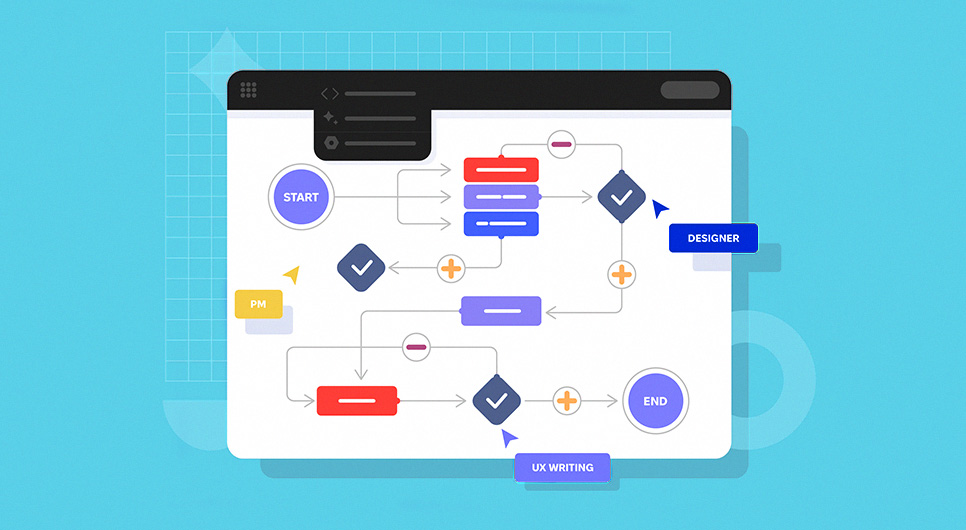
Product analytics is what you use when you need deeper, event-level understanding of journeys across sessions and user segments. These tools help teams assess and optimize digital experiences by connecting user activity to longer-term value and retention patterns.
In a UX site audit context, product analytics typically powers funnel analysis, cohort analysis, and retention views. This is especially useful for onboarding flows, SaaS trials, multi-step forms, and complex ecommerce UX audit paths where you need to identify the exact step users abandon, and then segment that data by device, traffic source, or user type.
Collect existing metrics and product data
Before commissioning new research, harvest what you already have. Pull the last 30 to 90 days of metrics for your priority flows, then segment by device. Many experience issues hide inside mobile behavior differences, even when the desktop version appears functional. Capture baseline conversion rates, step-to-step drop-offs, top exit pages, and repeated error hotspots. Pair those with support tickets, chat transcripts, common sales objections, and recurring user feedback themes. This keeps UX auditing grounded in real behavior and avoids re-investigating problems the business already knows exist.
Gather the right data for useful insights
The difference between “data” and “insight” is structure. Start with a hypothesis for each key journey, then use the right tool to validate it. Use traditional analytics to identify where the problem is concentrated. Use behavioral tools to observe what users are attempting on the page. Use product analytics to confirm where the journey breaks and for which segments. Rigorous UX audit guidance consistently emphasizes combining quantitative and qualitative evidence, because numbers tell you what is happening, while observation and user feedback explain why.
When these data layers align, your UX audit tools stack becomes a decision system. That is what produces an audit results template output that stakeholders trust, prioritize, and act on.
UX Audit Execution. Step by Step
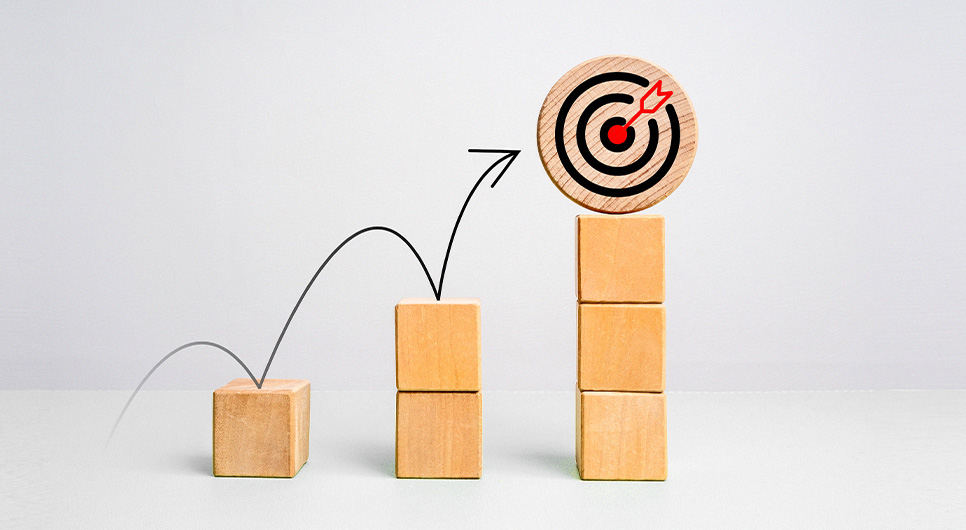
With scope defined and your UX audit tools in place, execution is where a website UX audit becomes decision-ready. The purpose of this phase is not to collect endless notes. It is to follow a repeatable UX audit process that links what you observe on the interface to what users do in real journeys, then turns that into prioritized fixes and a clear roadmap. Most structured UX audit approaches follow a consistent arc, understand the product, map flows, evaluate screens and heuristics, add targeted research, then synthesize patterns into recommendations.
Understand the product and its goals
Start by clarifying the business model and the job the product is supposed to do for its users. This is the anchor for everything that follows because a UX issue is only a real issue when it blocks a goal. Without this context, an audit UX design session turns into style commentary rather than outcome analysis. Document the primary conversion goals, the user types the product serves, and any known performance gaps before reviewing a single screen.
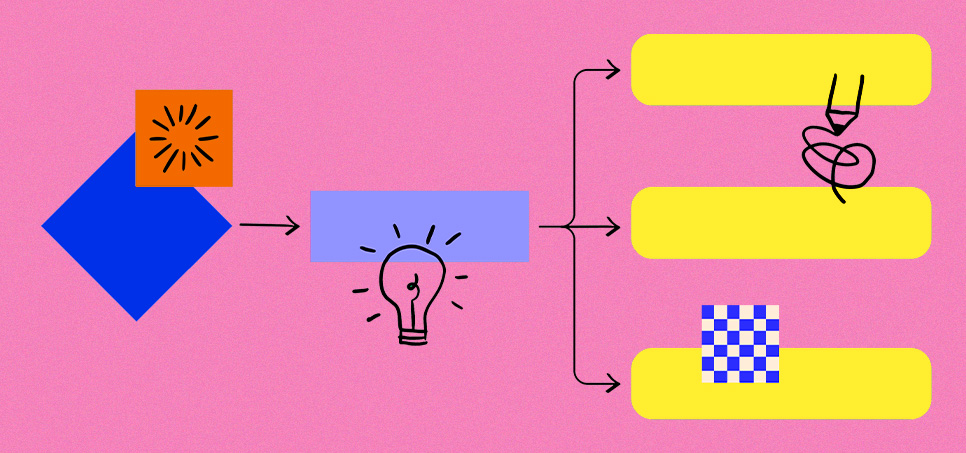
Break the experience into user flows
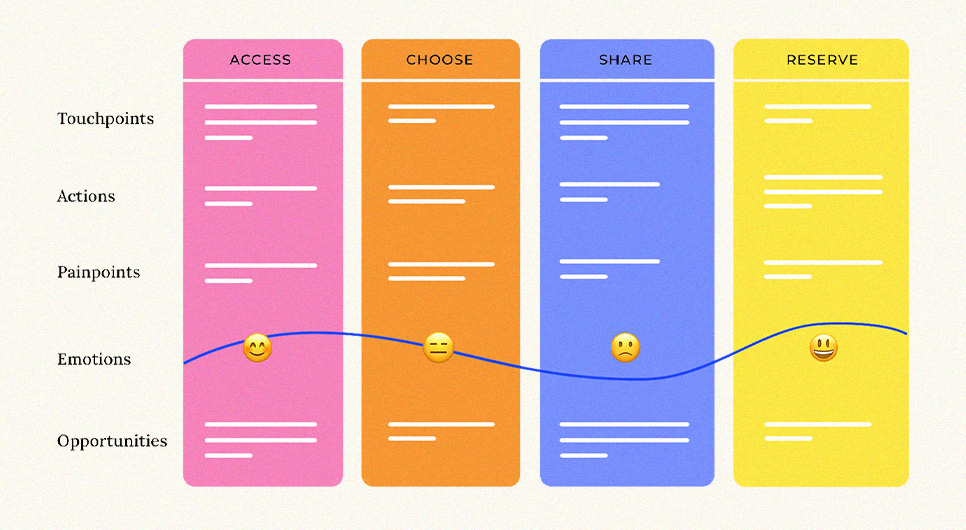
Translate goals into the journeys users actually take. Do not start with isolated pages. Start with flows, discovery to decision to conversion, because friction typically appears between steps, not inside a single screen. Multiple UX audit methodologies emphasize mapping flows before reviewing individual screens because it keeps the audit aligned with real user intent and helps you identify where drop-offs are actually introduced.
Screen by screen evaluation
Once flows are mapped, move into a structured screen-by-screen pass of the templates that power those flows. Templates reveal systemic issues faster than page-by-page browsing. During this pass, document what a user sees at each step, what the interface asks them to do, what information is missing, and what could create uncertainty in decision-making. This is where a web design audit and user interface audit lens becomes useful, you are checking hierarchy, clarity, and consistency across states, not aesthetics.
Heuristic evaluation
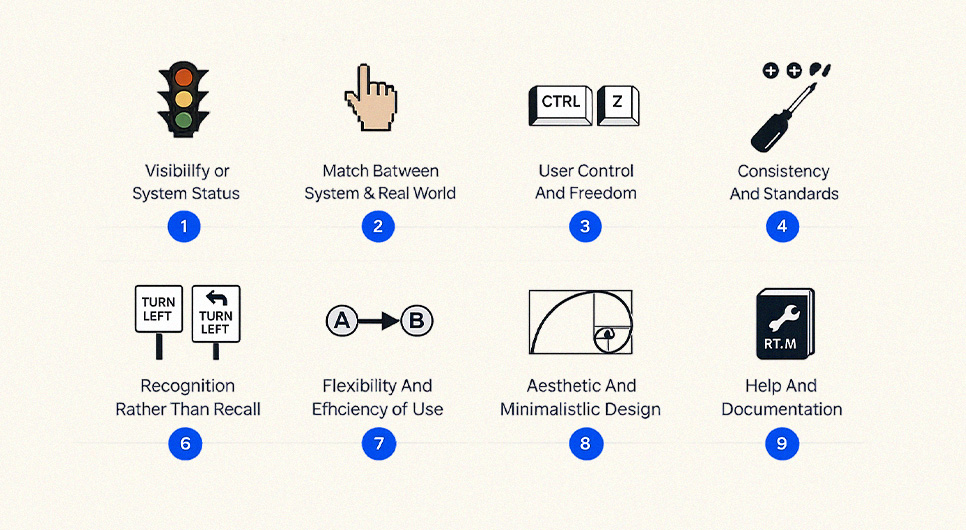
Run UX audit heuristic evaluation as an expert inspection layer on top of your flow review. This method involves reviewing a product’s experience using a defined set of usability principles, and structured frameworks provide a common language for evaluating interface decisions consistently. When conducting a UX audit vs heuristic evaluation, remember heuristics are one method within a broader UX audit, not a standalone substitute. The key is avoiding single-reviewer bias. Apply the same heuristics across the same screens, then rate severity based on impact and frequency within priority flows.
Conduct further research
When findings need confirmation or deeper explanation, add targeted research rather than expanding scope arbitrarily. This research can be quick usability tests for high-risk tasks, short surveys to validate confusion points, or stakeholder interviews to understand business constraints and priorities. The goal is to reduce uncertainty around the most expensive decisions without running every research method possible.
Identify trends and patterns
As evidence accumulates, you move from individual issues to repeated patterns. Identifying patterns is a critical step in any UX audit process because they create the opportunity for scalable fixes. If the same problem appears across multiple templates, it is likely a system issue, inconsistent components, unclear hierarchy rules, or a broken content structure. Fixing patterns improves the entire site faster than polishing one page at a time.
Find hidden trends in user behavior
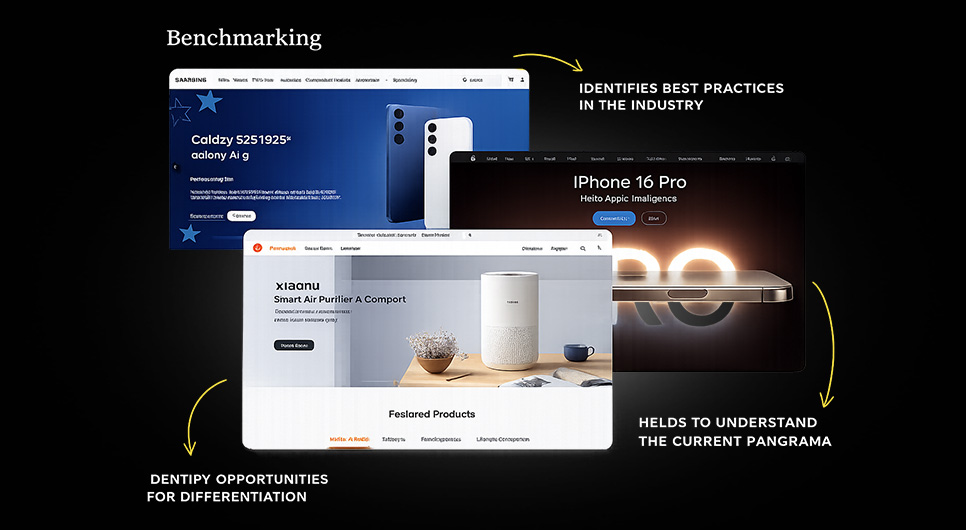
This is where data segmentation becomes essential. Analyze how key metrics vary by persona, traffic source, or product context. In practice, compare flow performance across device types, new versus returning users, and high-intent versus low-intent entry pages. Many unexplained drop-offs in a UX audit of website data only reveal themselves after segmentation, especially when mobile users behave meaningfully differently from desktop users.
Find the “why” behind the trends

Numbers show what is happening. The “why” comes from connecting quantitative signals to qualitative evidence. Use recordings, user feedback, and task observation to explain behavior. For example, if a CTA section has high scroll reach but low click rates, the “why” might be unclear value, weak trust cues, or competing visual actions. This step is what separates a report full of metrics from a report full of decisions that teams can act on confidently during UX auditing.
Assess interaction design
Evaluate how the interface behaves in the states users depend on most, form validation, error recovery, loading feedback, disabled states, and confirmation messages. Interaction design failures often create friction that analytics cannot label clearly, because users “try again” or abandon without triggering a single obvious error event. In a UX UI audit, microcopy and feedback timing matter as much as layout because they shape user confidence during high-intent moments like checkout or form submission.
Competitive analysis
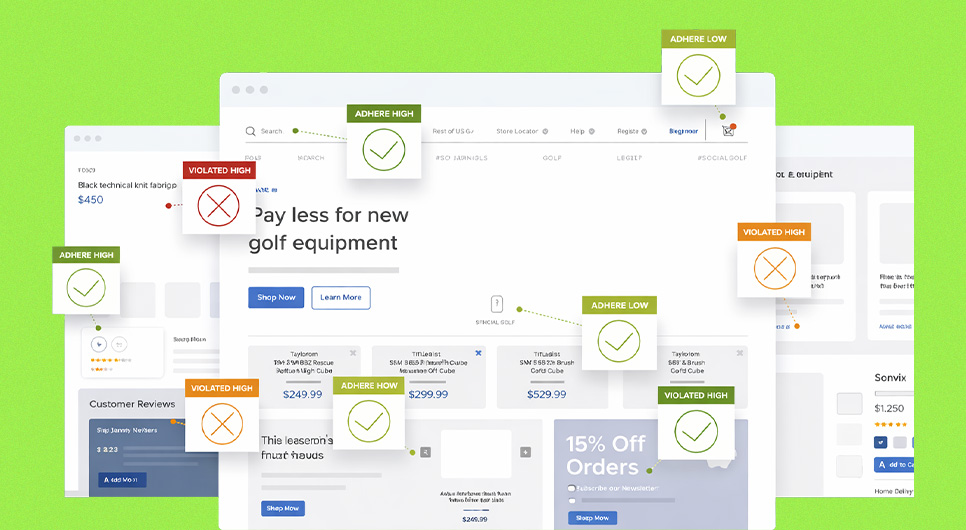
Competitive analysis is not for copying. It is for calibrating expectations. Looking at competitors helps you understand category standards and identify where your experience is falling behind. Review how competitors structure core flows, how they present trust signals, how they reduce steps, and how they explain complex choices. Then translate those observations into your own product constraints and brand context.
Analyze and synthesize audit data
Synthesize everything into a clean decision model. Consolidate issues into themes, attach evidence, estimate implementation effort, and assign impact tied to your defined success metrics. The deliverable should read like an execution plan, not a critique. This is where UX auditing becomes a business asset, a prioritized, testable set of changes that teams can ship and validate.
Findings, Reporting, and Recommendations
Execution is where you discover what is broken. Reporting is where a user experience audit becomes actionable. The difference between a useful website UX audit and a document that gets ignored comes down to specificity. Findings must be evidenced and tied to outcomes. Recommendations must be implementable, prioritized, and measurable. This is the stage where UX auditing turns into a plan a team can ship.
Spot problems and propose design solutions
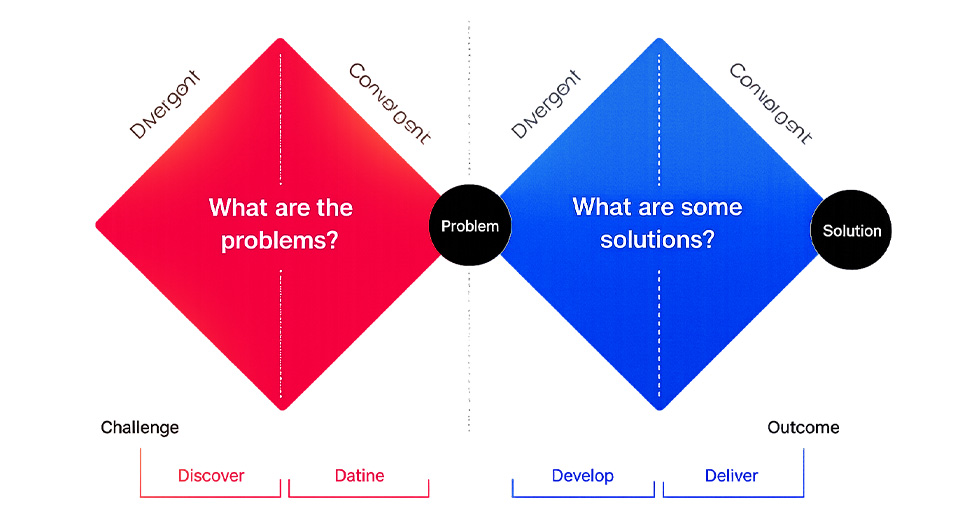
Write each problem as a user-facing failure, not a design opinion. A clean finding explains what the user is trying to do, what happens instead, and what that does to completion or confidence. This applies across all audit types, whether the issue is in navigation, form flow, content clarity, or interface consistency. In a UI UX audit or web design audit, you will often find system problems that repeat: inconsistent typography, conflicting button styles, unclear hierarchy, or missing states like error, empty, and success. Those should be grouped as pattern issues because fixing the pattern improves multiple pages at once.
A strong recommendation is not “make it cleaner.” It is a specific proposed solution with a reason and a check for risk. If users miss the primary CTA because the section reads like decoration, the solution is clearer hierarchy, a single primary action, and stronger microcopy. If users abandon forms, the solution might be fewer required fields, clearer labels, inline validation, and better error recovery. If an ecommerce UX audit reveals checkout drop-offs, the solution typically involves reducing decision load, improving trust cues, and removing avoidable steps. Every recommendation should connect to the goal metrics defined at the start so it is clear why the change matters.
Build the UX audit report. Findings, recommendations, and priorities
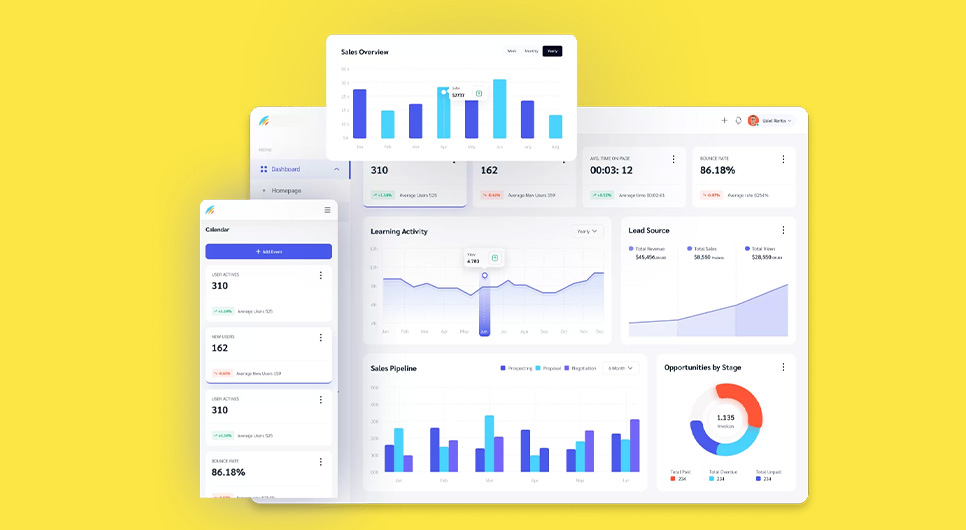
Your report should read like an execution roadmap, not a list of complaints. Use a consistent structure for every finding so stakeholders can skim and still understand priority and required action. A practical audit results template format includes context, evidence, impact, priority, and the specific recommended fix. Evidence can include screenshots, flow notes, analytics signals, recording observations, and qualitative feedback. Priority should reflect both impact and effort, but also risk, because some issues can break trust or accessibility even if they are not the largest conversion blockers.
The most important part is synthesis. Instead of repeating the same observation across dozens of pages, consolidate issues into themes and show where they appear across templates and flows. It also makes your work reusable. Maintain a UX audit sample or two internally as benchmarks, and keep a clean website audit checklist template that future teams can extend. When you document a few UX audit examples from past projects, future audits become faster because the structure is already proven.
Present the report and share findings with stakeholders
The presentation is not a final meeting. It is a decision step. Restate the goals and the flows you audited, then present the top patterns that explain the biggest performance gaps. Stakeholders should leave understanding three things: what is hurting performance, what will be addressed first, and how success will be measured after release. This is also where alignment is confirmed. Design, development, and business owners must agree on priorities and define what “done” looks like for each fix, otherwise the report becomes a reference document instead of a delivery plan.
A well-structured stakeholder walkthrough also protects implementation quality. It clarifies dependencies, confirms what needs testing, and sets expectations for iteration. When findings are tied to clear metrics, the next phase is straightforward: implement the changes, validate improvements, and maintain the UX audit process as an ongoing practice.
Implementation and Validation
A user experience audit only delivers value when fixes reach production and results are measured. This section connects the UX audit report template output to real execution. The goal is to implement changes without breaking other templates, then validate whether the recommendations from your website UX audit actually improved the outcomes defined at the start.
Implement changes
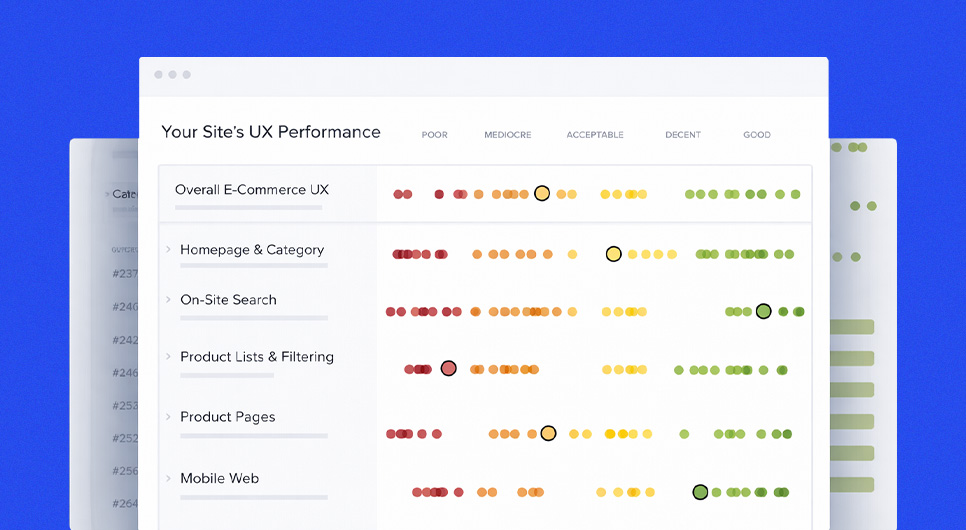
Implementation should follow the priority model from your report. Begin with changes that remove the biggest friction inside your highest-value flows, navigation clarity, form completion issues, and checkout blockers in ecommerce UX audit contexts. Then move into system fixes that reduce repeated errors across templates, such as inconsistent button behavior, typography hierarchy issues, or missing interaction states. Treat these as design system updates. Fixing patterns reduces future rework and makes ongoing UX auditing more efficient.
During implementation, keep each change tied to a measurable intent. If the recommendation is “simplify the contact form,” specify exactly what changes, which fields become optional, what validation rules change, what microcopy clarifies the next step, and how errors will be communicated. This is also where a UX SEO audit mindset applies. Validate your key events, conversion definitions, and funnel steps before the release goes live so you can prove impact.
Test and iterate after changes
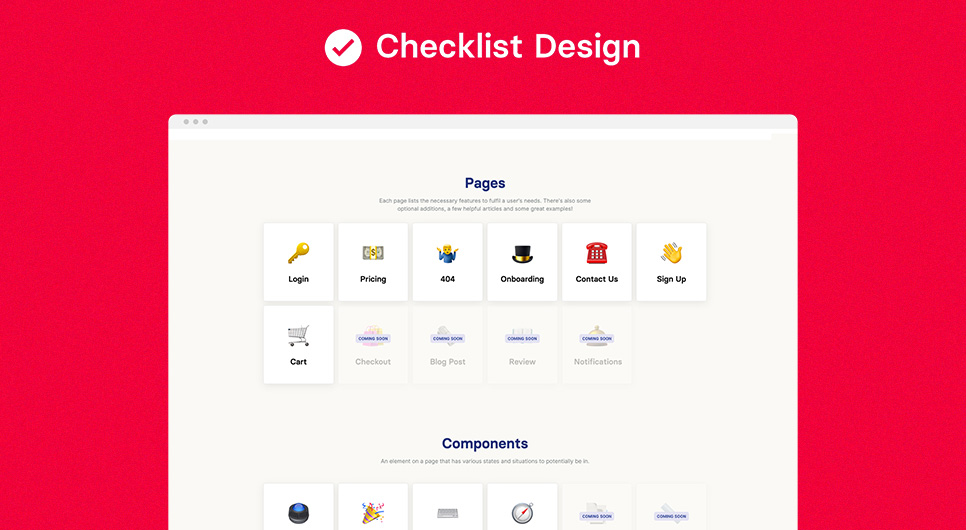
Validation is where you confirm the audit was accurate and the fix worked. First, run QA across devices and templates to catch regressions. A common failure after any UX audit is improving one flow while accidentally breaking another. Then validate with measurement, compare baseline metrics to post-release results for the same flow, segment by device, and use the UX review checklist from your audit as the QA baseline.
Structure your iteration process. If a change improves the metric, document it and update your UX process checklist so it becomes a new quality standard. If the change did not perform, re-examine the reasoning, was the issue in messaging, trust, or intent mismatch? Use controlled A/B testing for high-impact decisions when you need confidence before rolling out changes to all users. Over time, this creates a continuous improvement cycle, audits surface problems, implementation ships the fixes, and validation proves what worked, then feeds the next cycle with stronger evidence.
UX Audit Checklists and Templates

After implementation and validation, the most valuable thing you can do is make the UX audit repeatable. A one-time review helps. A reusable system of structured checklists, templates, and reporting formats turns the process into an ongoing quality standard. It also keeps reviews objective, everyone evaluates the same areas, documents issues the same way, and prioritizes fixes using the same logic. A well-built website audit checklist template is what separates a one-off project from a scalable audit practice.
Ultimate UX audit checklist
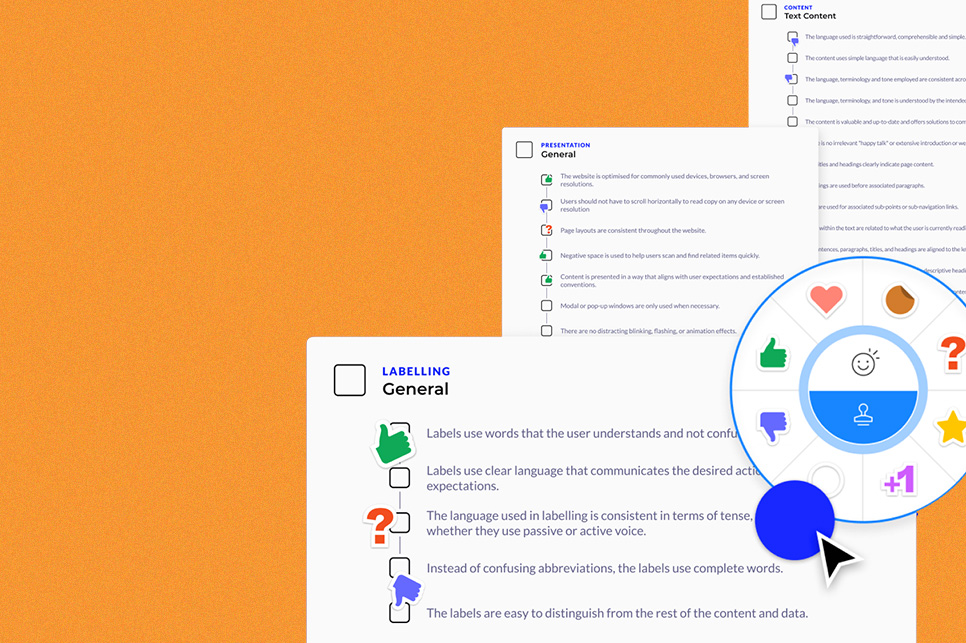
A strong UX audit checklist works like a coverage map. It ensures you review every part of the experience that can break user journeys, without turning the review into an endless list of minor observations. The checklist should be organized by flow and by page type, entry pages like home and landing pages, decision pages like service or product pages, conversion pages like forms and checkout, and support pages like FAQs, policies, and contact. Within each area, the UX review checklist should confirm usability basics: task clarity, navigation and information architecture, content comprehension, interaction feedback, form behavior, error recovery, trust signals, accessibility essentials, and performance experience.
A comprehensive version also includes a measurement readiness check, this is where the google analytics audit checklist mindset fits inside the experience review. For complex products or ecommerce sites, include a lightweight technical layer focused on what directly impacts experience: broken templates, slow interactions, rendering issues, and third-party script impact. The key is balance. The UX process checklist should ensure coverage, but it should not replace judgment. If everything is marked checked but users are still dropping off, the checklist needs to evolve.
Free customizable UX audit checklist
A reusable UX audit template is more useful than a perfect one. Your working format should match your team’s workflow. If your team works in tickets, the template maps cleanly into tasks. If your team works in documents, the UX audit report template should read like a decision memo with prioritized actions. A practical customizable system includes three parts: a page and flow tracker, an evidence log, and a reporting summary.
The tracker functions like a structured worksheet where each row represents a page or flow step and each entry captures what went wrong, where it happened, and how it affects outcomes. The evidence log stores screenshots, recording notes, and metric references so findings stay verifiable. The summary becomes your reporting output — issues grouped by theme and prioritized by impact and effort. Over time, maintain a small internal library of clean UX audit examples and UX audit sample reports. That becomes your quality benchmark and reduces reporting time on future reviews because the structure is already proven.
Wrap Up and Next Steps

The journey to a better user experience
A user experience audit is not a one-time activity. It is a way to keep your product aligned with how users actually behave, what they expect, and what they need to complete high-intent tasks. When you treat UX audits as an ongoing system, the work compounds. You run a structured review to find friction, apply a UI UX audit lens to clean up inconsistent patterns, use a content audit UX pass to improve clarity and trust, and then validate changes with real measurement. Over time, the product becomes easier to use, easier to navigate, and easier to convert on, because improvements are tied to user flows, not arbitrary redesign decisions.
The practical next step is turning the audit into a rhythm. Maintain a lightweight UX review checklist for monthly checks on your most important flows, then schedule deeper user experience audits quarterly or after major launches. Keep your UX audit report template consistent so stakeholders know what to expect and teams can move from findings to implementation without delay. For sites with ecommerce or multi-step journeys, treat a funnel review as a routine part of optimization, not an emergency response. For regulated and high-trust categories like UX audit healthcare and UX audit pharma, baseline checks should include accessibility and error prevention because user confidence is not optional in those contexts.
A better user experience is built by removing uncertainty, through clear information architecture, predictable navigation, meaningful feedback, readable content, accessible interaction, and measured iteration. The goal is not perfection. The goal is a repeatable UX audit process that makes the product better every cycle.
Summary. TL. DR
A UX audit, sometimes called a user experience audit or website UX audit, is a structured evaluation of how real users experience a digital product, conducted across flows, templates, and behavioral data. It is distinct from a heuristic evaluation or usability audit, those are individual methods. A complete user experience audit combines multiple approaches to explain both what is failing and why. Run one when conversions drop, lead quality declines, or after major changes like redesigns and migrations. Plan carefully: define scope, goals, and success metrics upfront, align stakeholders, and assign the right roles including a qualified UX auditor.
Execution follows a structured UX audit process, understanding goals, map flows, review screens, applying UX audit heuristic evaluation, adding targeted research, identifying patterns, and synthesizing evidence into prioritized recommendations using a structured UX audit report template. Reporting only works when findings are specific, documented, and connected to outcomes. The work is complete only after implementation, QA, and validated measurement. Finally, maintain a reusable UX audit checklist and working template so experience improvement becomes a system, not a one-time project.
COLAB DXB Web Design and Development Agency. Built on UX Audit Standards

At COLAB DXB, we do not treat web design audit work as a surface upgrade. We treat it as a conversion system built on evidence. This guide walks through how to diagnose friction, validate what users struggle with, and prioritize fixes that improve outcomes. We apply the same structured UX audit process in every project we take on, whether you need a new website, a redesign, or an optimization sprint that begins with identifying where your highest-value flows are breaking down and ends with measurable lift in leads, bookings, or completed transactions.
If you are looking for a UX audit service or a website UX audit company that can take these principles into real execution, our team at COLAB DXB goes from discovery to implementation without losing momentum. We start by reviewing your priority user flows, aligning on success metrics, and documenting findings in a format your team can act on immediately. As an experienced UX audit company, we have run structured reviews across ecommerce, service businesses, and regulated industries, producing findings that lead to shipped improvements, not shelved reports. For clients in high-trust and regulated categories including healthcare, we integrate accessibility-first standards and clarity-driven content structure from the start, so trust is built into the experience, not added as an afterthought.

About The Author
Sid hasan
Sid Hasan is an entrepreneur and marketing strategist recognized for his expertise in brand growth, digital innovation, and business development. With over a decade of experience, he has guided companies in building data-driven marketing ecosystems that generate measurable results.
As the founder of COLAB Marketing Inc., Sid leads a global agency serving over 200 brands across the U.S. and UAE, blending creative storytelling with performance-driven strategy to help businesses scale effectively.
Through COLAB, he continues to empower emerging and established brands to transform ideas into lasting market impact through strategic clarity, creative execution, and digital excellence.
